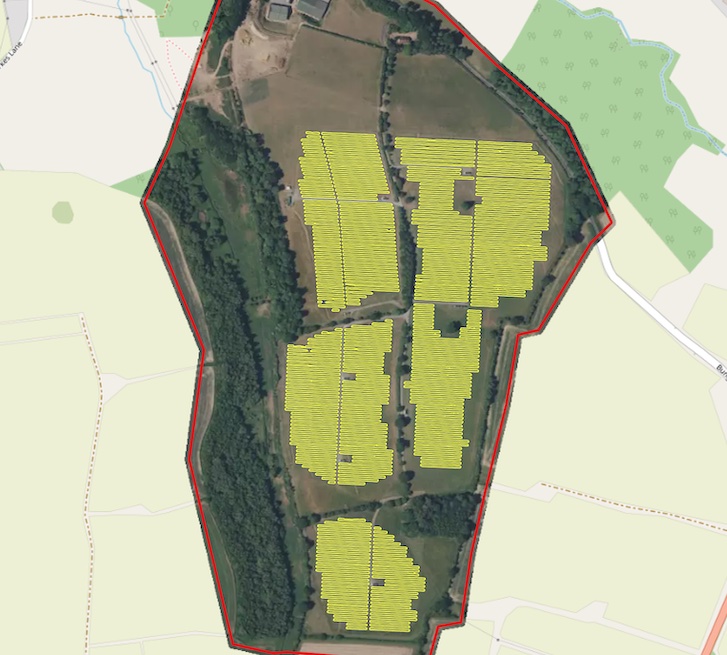
The core of the Mapflow are the Mapping Models. Mapflow enables to detect and extract features in satellite and aerial images powered by semantic segmentation and other deep learning techniques. See requirements page to better understand what data to use with each model, and price list for breakdown of the processings billing.
Примечание
For the data requirements – see Требования к моделям. For the breakdown of the Mapflow processings billing – see Mapflow pricing.
Модели ИИ-Картографирования
🏠 Здания
Extracting of rooftops of buildings from imagery of high resolution. High performance deep learning model is trained to detect the buildings roofs.
Note: The building predictions with area less than 20 sq.m. are removed to avoid clutter
The model does not extract the footprints directly, because they are not clearly visible in the images, but it can obtain them, just like human cartographers, by moving the roof to the bottom of the wall (see Additional options).
Дополнительные опции
Classification by types of buildings – typology of buildings is represented by the main classes (see reference).
Regularization - the algorithm corrects the irregularities of the contours of our model. The irregular geometries are replaced with rectangles, circles or arbitary polygons with 90 degree angles, which fits better to the original shape. This option produces much more map-friendly shapes which look better, but some original mask accuracy can be lost.
Simplification - simplifies the building shape, staying close to the original mask, adjusted for curve and complex shapes. More approximated shapes, but less right angles.
Merge with OSM - some of the areas have great coverage of OpenStreetMap data, and if you prefer human-annotated data, you can select this option.In this case, we check for each building whether it has a good corresponding object in OSM (Jaccard index) and if there is one, we replace our result with OSM polygon. This makes the result not based on the image, so the buildings can be shifted from actual positions. Also the corrected buildings are rotated to align with the nearest roads downloaded from OSM.
Height Estimation (beta) – feature leverages a dedicated regression-based model that infers height using visual indicators such as shadow length and visible wall segments. The result is what is termed 3D building footprints where the building’s countour is projected to ground level instead of the roof outline. This is especially useful for oblique imagery, where roofs often appear shifted.
Пример результата обработки с различными вариантами для Праги, Чешская Республика.
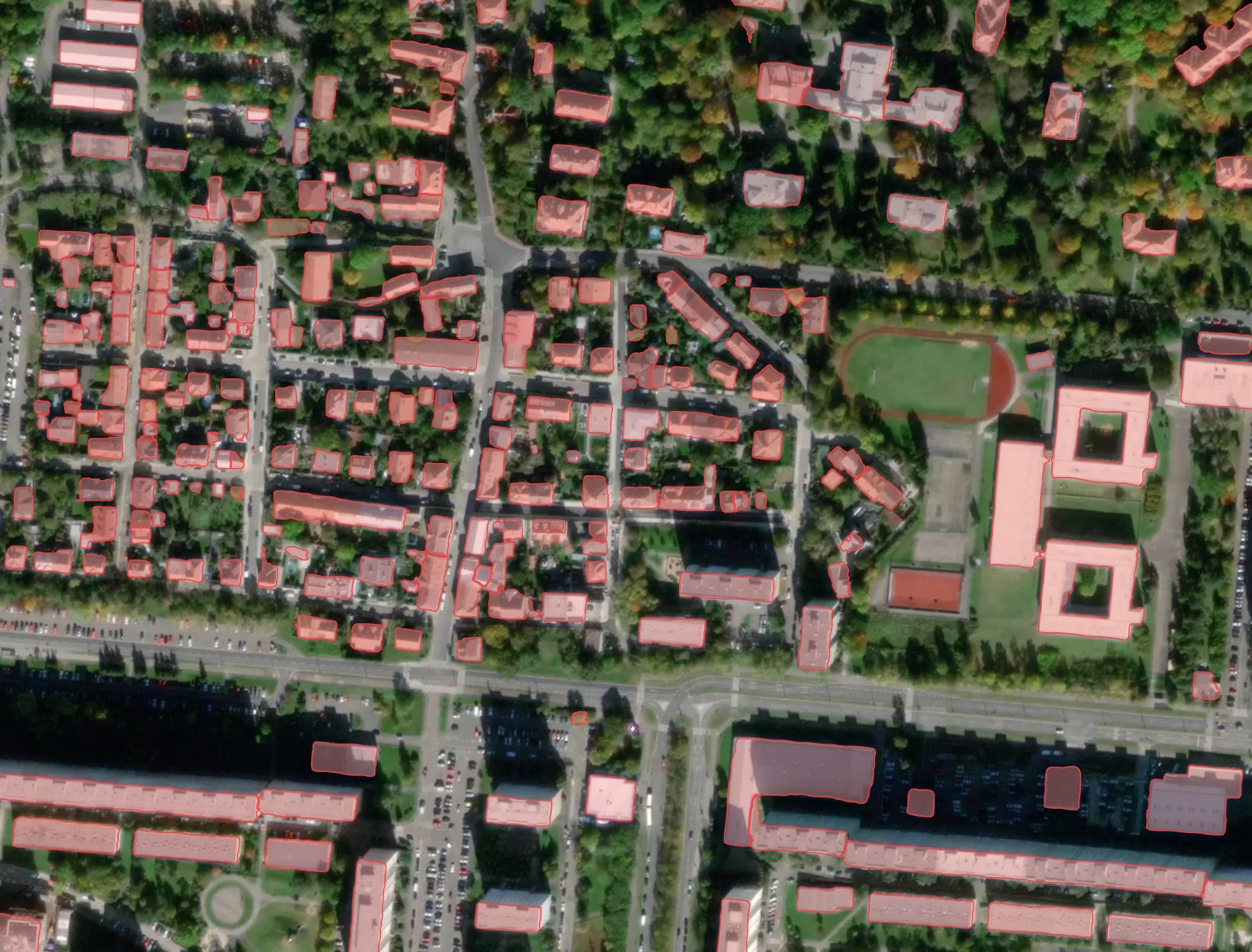
Результат без постобработки: здания неправильной формы, но лучше всего соответствует фактическим контурам крыш, видимым на изображении.
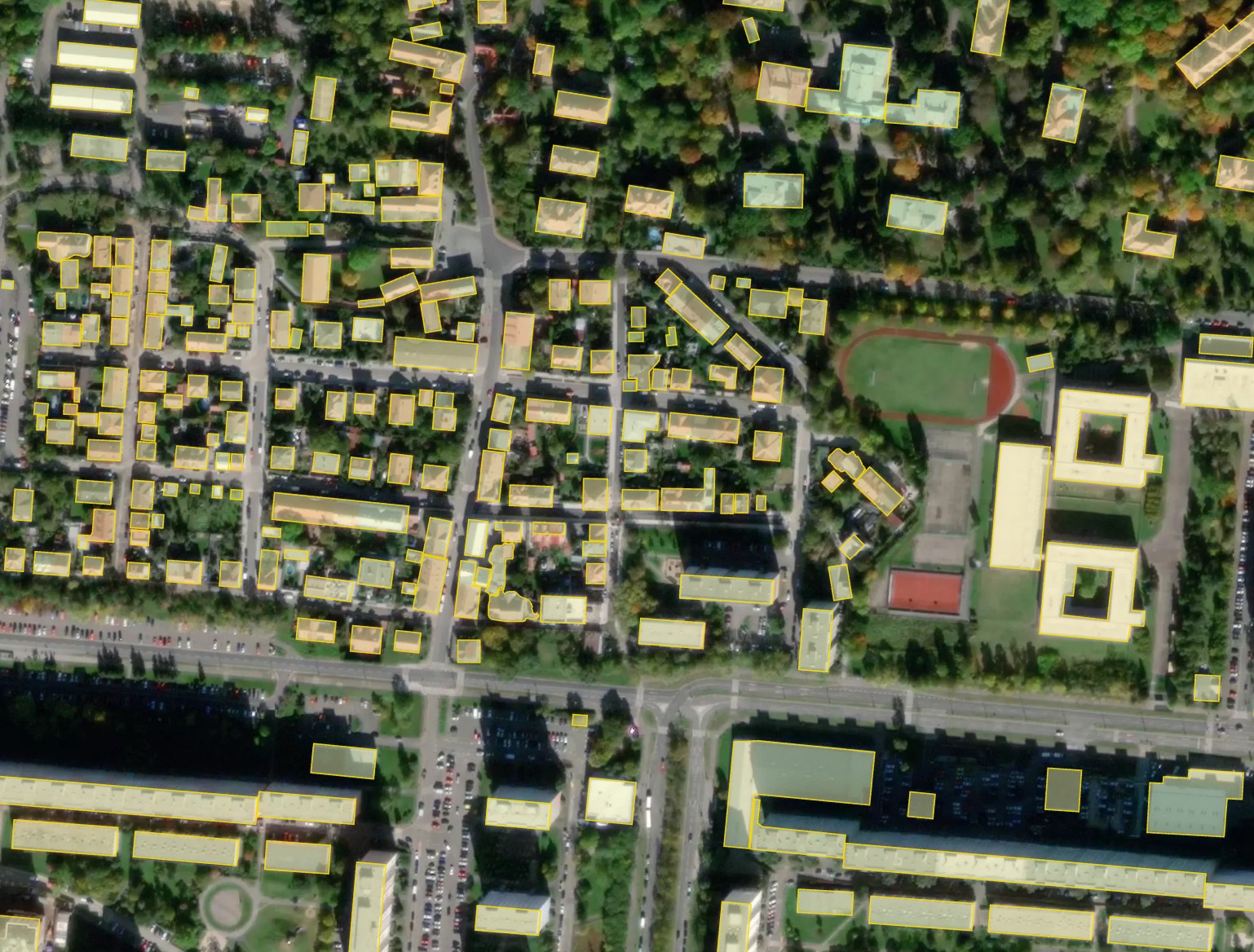
Результат с полигонизацией: большинство зданий становятся прямоугольными.
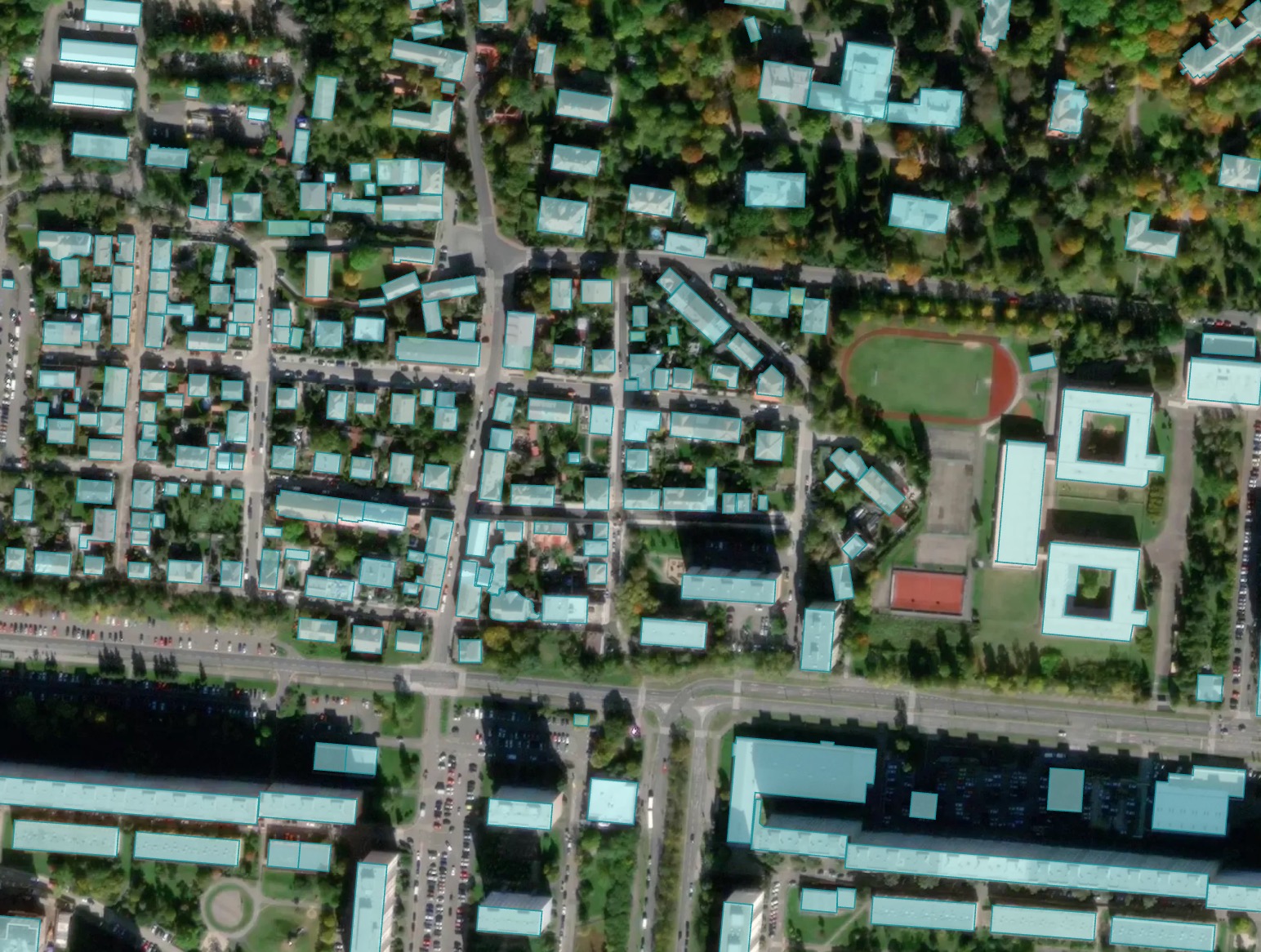
Результат объединения с OSM: некоторые здания, импортированные из OSM, имеют более точную форму, но могут быть смещены относительно положения изображения.
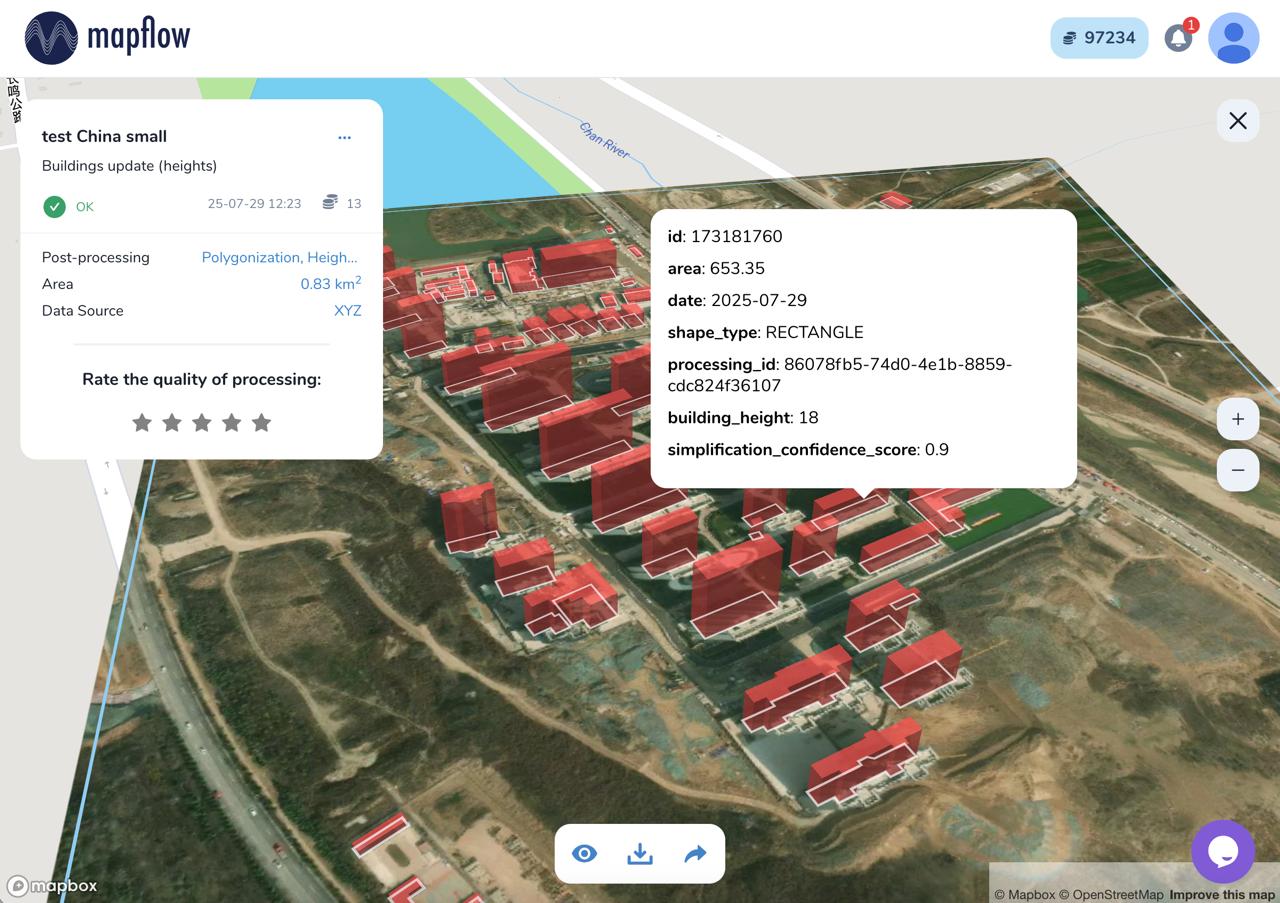
Processing result of buildings model with height estimation in Mapflow Web
Benchmarks - segmentation
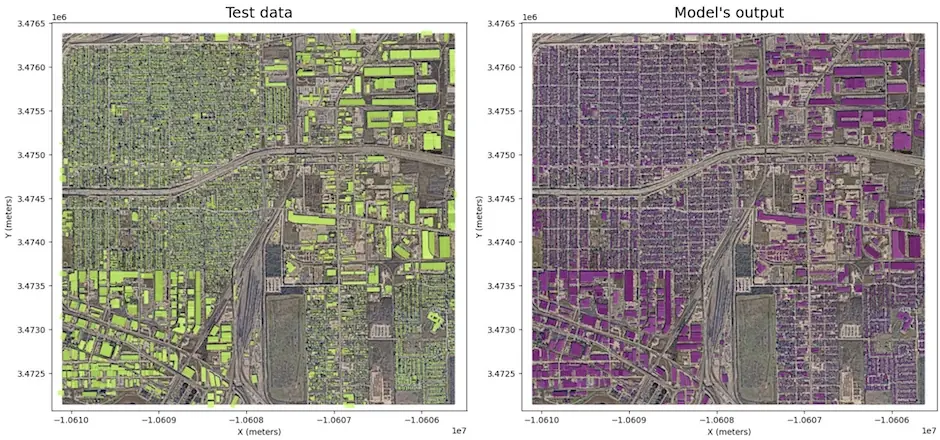
- Houston, U.S. (-95.2920, 29.7718)
Model version |
Model type |
Zoom level |
F1 (AOI) |
Urban-pattern |
|---|---|---|---|---|
🏠 Buildings v.8a |
Instance segmentation |
zoom 18 |
objectwise 0.72 |
low-rise – urban mixed |
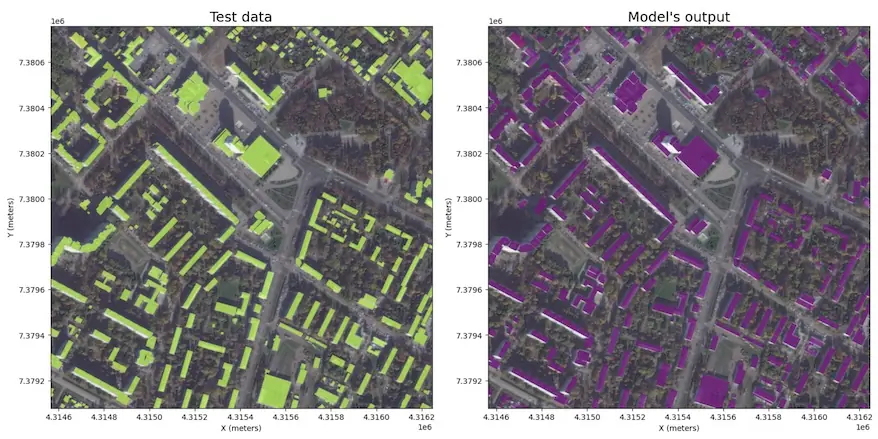
- Kolomna, Russia (38.7657, 55.0928)
Model version |
Model type |
Zoom level |
F1 (AOI) |
Urban-pattern |
|---|---|---|---|---|
🏠 Buildings v.8a |
Instance segmentation |
zoom 18 |
objectwise 0.75 |
urban mixed - regular |
🌲 Forest and trees
The model is trained on high-resolution data (0.6-0.3m) for different areas and climate zones.
Результат включает в себя все участки, покрытые древесной и кустарниковой растительностью, включая разреженные леса и кустарниковые заросли.
Разрешение модели позволяет обнаруживать небольшие группы деревьев и узкие линии деревьев.
The model is robust to region change, and performs well in most environments, including urban. The image should be taken in active vegetation period, because leafless trees or vegetation covered with snow are not the target class.
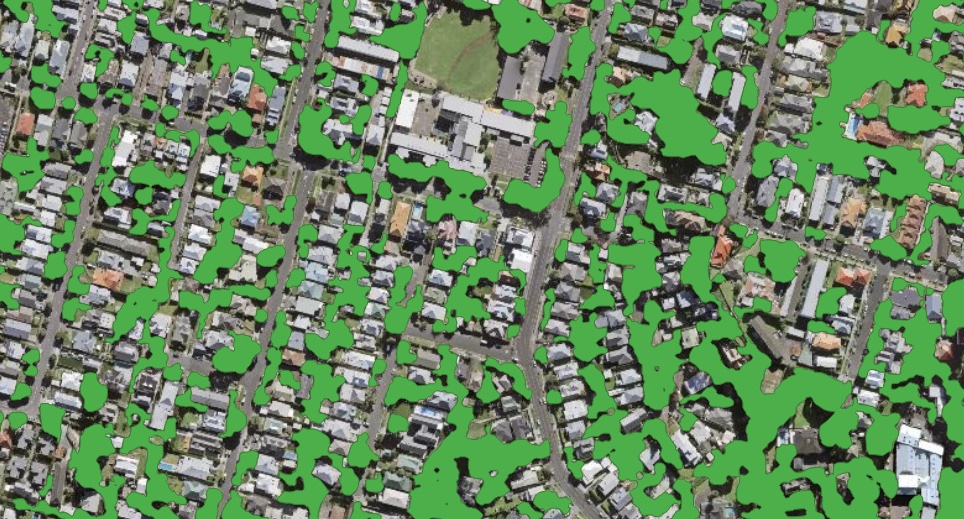
Пример результатов обработки для сплошной Лесной маски
Дополнительные опции
Height estimation – forest mask classification by height classes
Tree crown polygons - extracts tree crowns from forest vegetation as well as free-standing trees, provides them as polygons
Tree crown points - extracts tree crowns from forest vegetation as well as free-standing trees, provides them as points
Важно
We recommend using the Tree crown options with 0.3m resolution imagery (~ 19 zoom) for the best results in case you need to detect individual trees.
Примечание
Forest Height classification follows the following classes:
Кустарники ниже 4 метров;
Лес высотой от 4 до 10 метров;
Лес высотой более 10 метров;
This classification is used as a decision support for the vegetation management in powerline zones, etc. See the professional solutions by Geoalert. The tresholds can be customized depending on the requirements.
Образцы результатов обработки
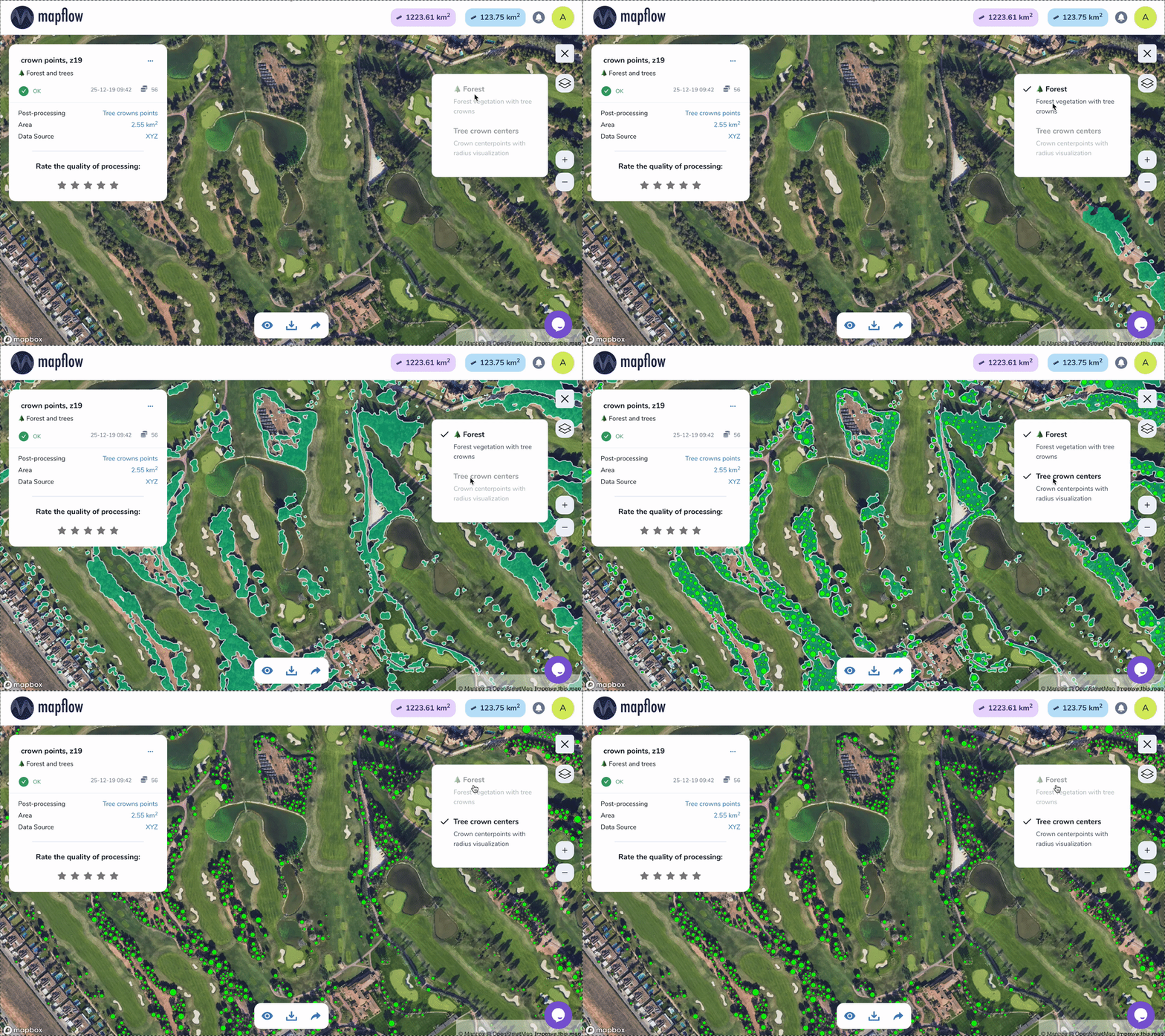
Sample of results for Tree crowns, points
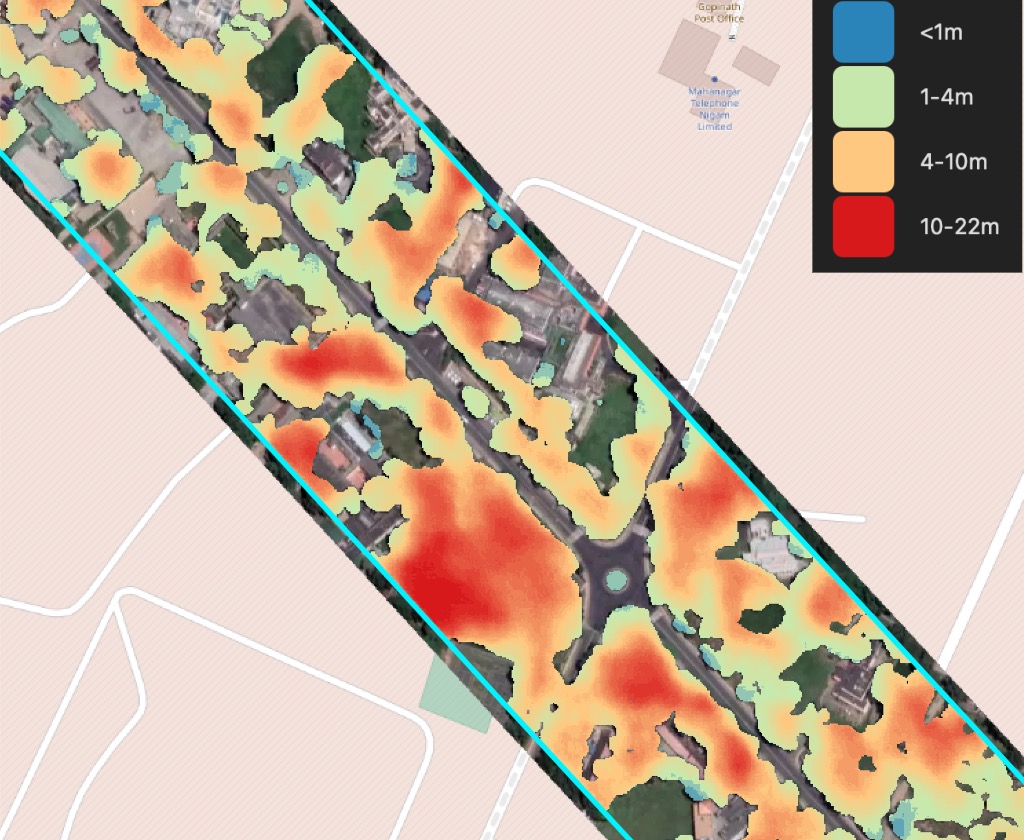
Образец результатов для маски Леса с высотами (растровый вывод)
🚗 Дороги
Модель для сегментации дорог на изображениях с высоким разрешением (0,3 - 0,5 м)
Модель разработана в первую очередь для сельских и пригородных районов. Многозадачное обучение применяется для улучшения связности дорожной маски, особенно в местах, скрытых деревьями или зданиями. Лучше всего подходит для районов с низкой урбанизацией и может потерпеть неудачу в городах, где имеются широкие дороги с тротуарами и сложные перекрестки. Мы извлекаем центральную линию дороги, чтобы уменьшить беспорядок и оптимизировать извлеченную дорожную сеть, а затем линии дороги раздуваются обратно до полигонального объекта.
В версии 1.1 мы добавили постобработку дорожного графа:
упрощение геометрии;
слияние пробелов;
удаление двойных кромок;
удаление оторванных и слишком коротких сегментов;
Образцы результатов обработки
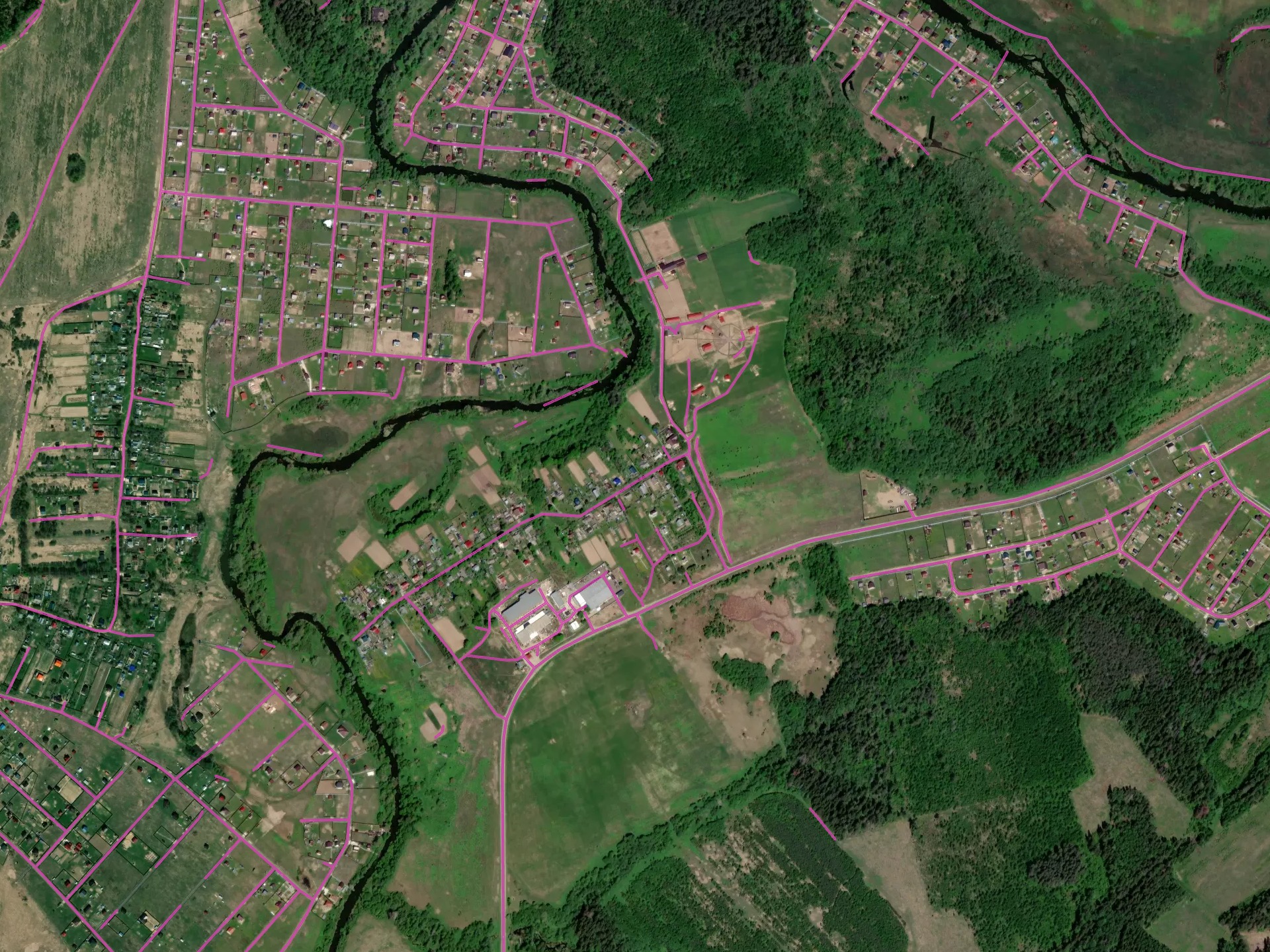
Оптимальные условия для модели: сельская/пригородная территория, Россия
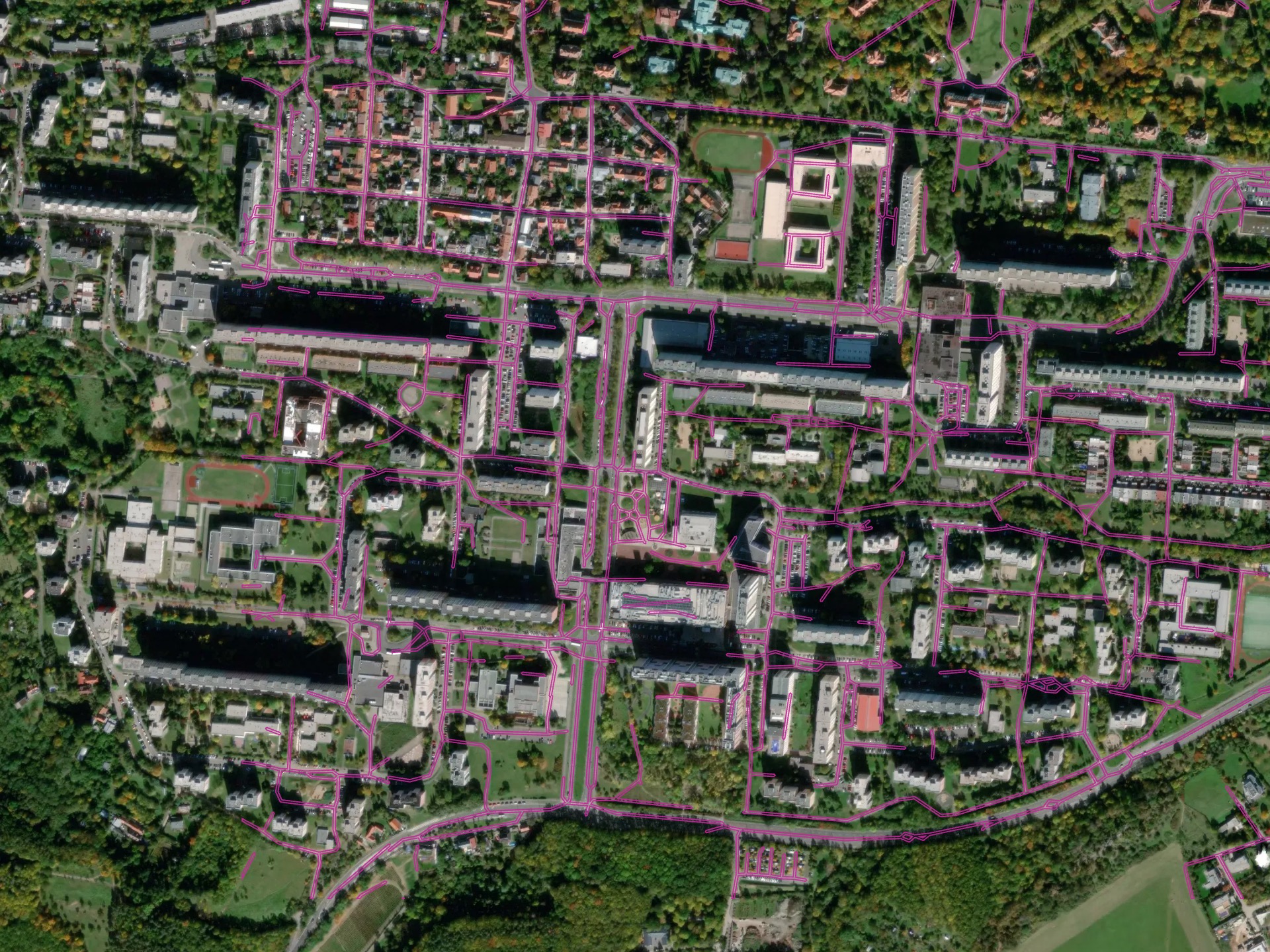
Более сложная среда - городская территория в Праге, Чешская Республика
[multi] Buildings + Roads + Forest
This pipeline combines Buildings, Forest and Roads in a single workflow and returns the topology-corrected GeoJSON output.
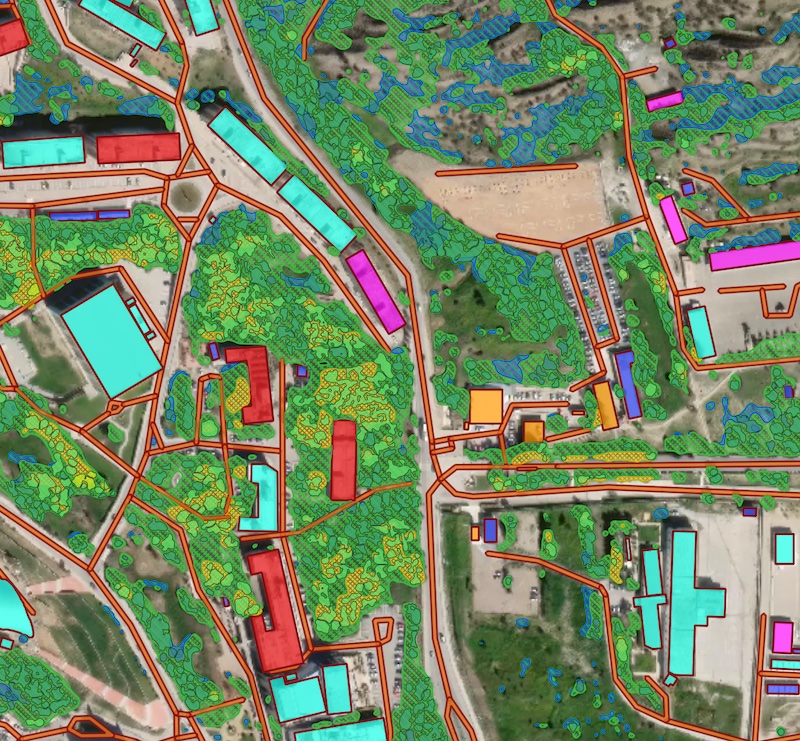
Processing result sample for a combined scenario featuring Buidlings, Roads and Forest models.
Download Open Data
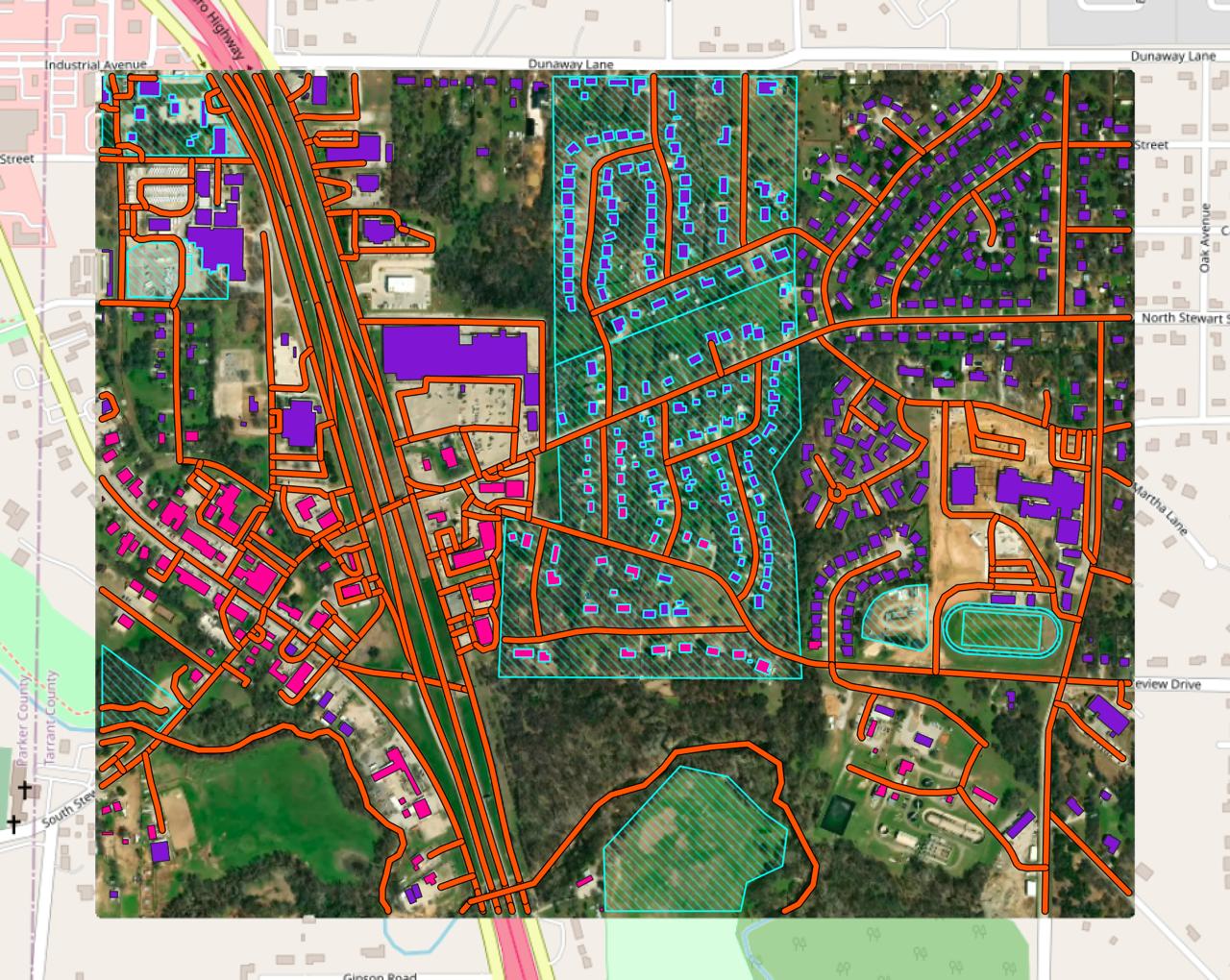
In Mapflow, you can download open mapping data from OpenStreetMap and Overture Maps. This pipeline does not use any AI model. It is designed to support your mapping projects with community-maintained open data.
Select one or more semantic classes and run the workflow.
Run the pipeline
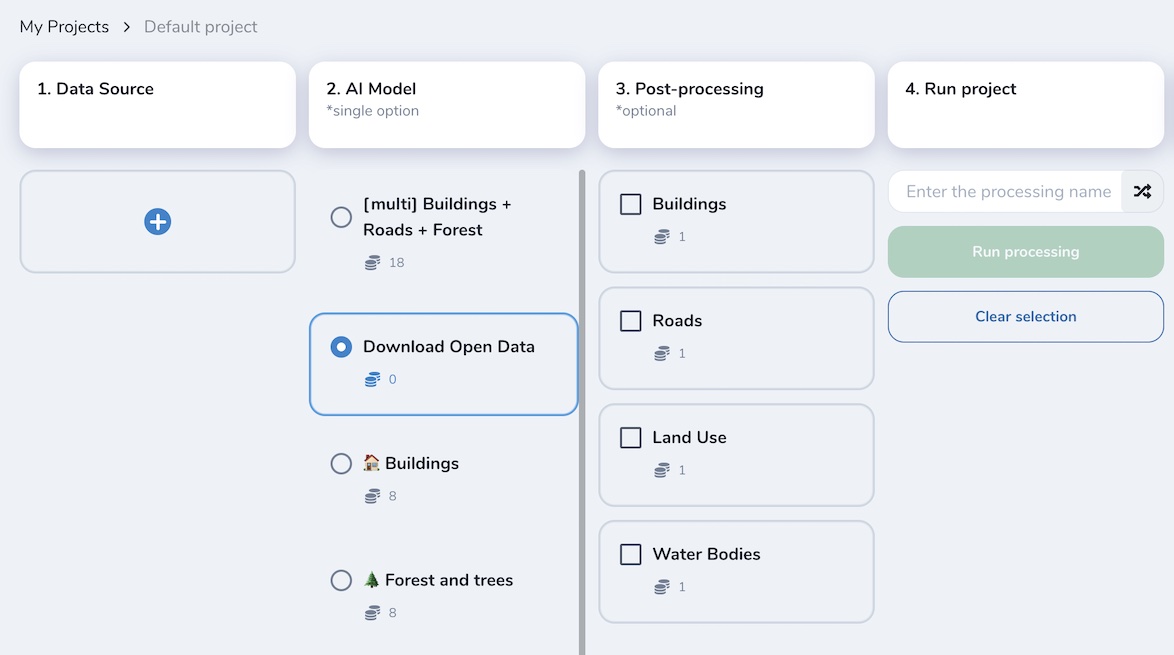
Get the results and the image preview (in Web app or QGIS project)
Предупреждение
Results depend on the availability and completeness of open mapping data in your area of interest. You can use it alongside AI-mapping results as a complementary source.
Примечание
You have to select an image source the same way as for AI-mapping pipelines. Note that the results may not be well aligned with the image, because the data comes from an external open data source. The image is provided only for visual reference, so you can decide whether you need to apply edits or run a Mapflow model to complement the results.
Custom Models
There are several options of model customization in Mapflow.
You request access to a specific model based on your use case and data, and we train it for you and connect it to Mapflow.
You choose one of the pre-trained models that are not included in the standard Mapflow pipelines and test it with your data or on your area to decide if it’s applicable or requires additional training.
You train your own model with custom data and request our support to connect it to your account to leverage your model with the Mapflow workflow engine.
Below is the list of custom models created for specific use cases and available in Mapflow by request (to be updated).
🏗️ Constructions (CUSTOM)
Эта модель очерчивает области на спутниковом снимке, которые содержат строительные площадки и строящиеся здания. Текущий модельный набор данных ограничен некоторыми странами, и в настоящее время ведется работа по его расширению.
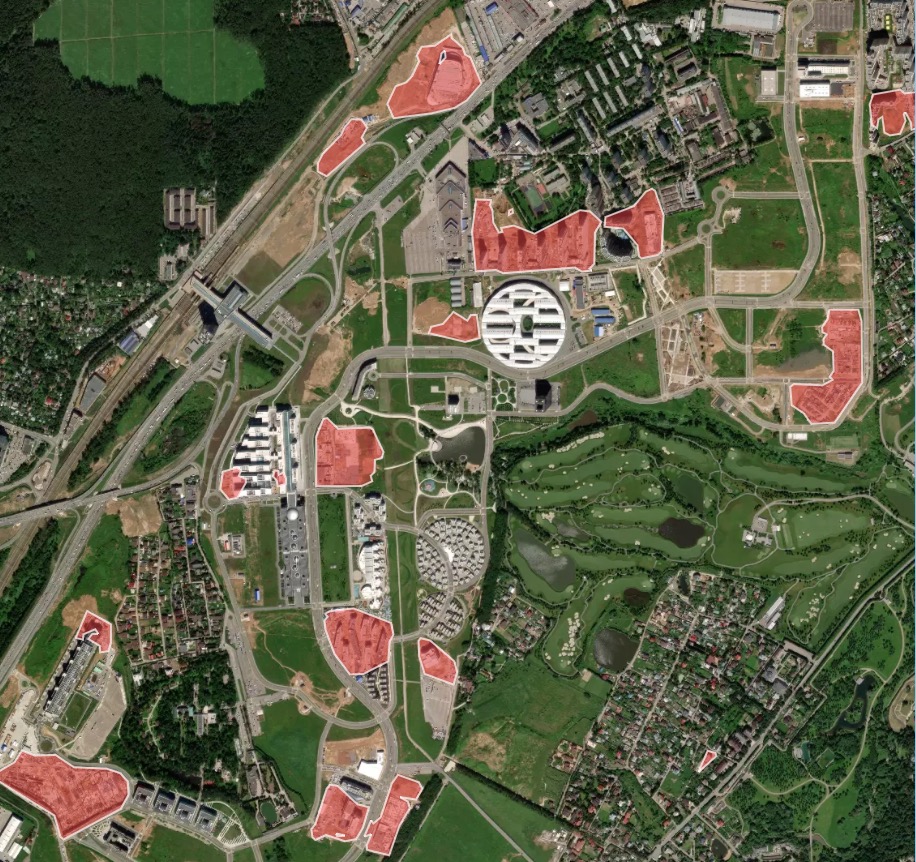
Образец результата обработки для быстро развивающегося района со строительными площадками
🏘 High-density housing (CUSTOM)
Примечание
This model has been deprecated as default one and moved to custom. it’s available only by request.
The “high-density housing” AI model is designed for areas with terraced or otherwise densely built buildings, common in the Middle East, parts of Africa, etc. This model, just like the regular building model, detects the building roofs. Firstly, the building blocks are segmented as a whole, and then each block is attempted to be devided into individual houses based on the detection of individual roof markers with rectangular grid or Voronoi diagram.
Образец результатов обработки для района плотной городской застройки (Тунис, Африка):
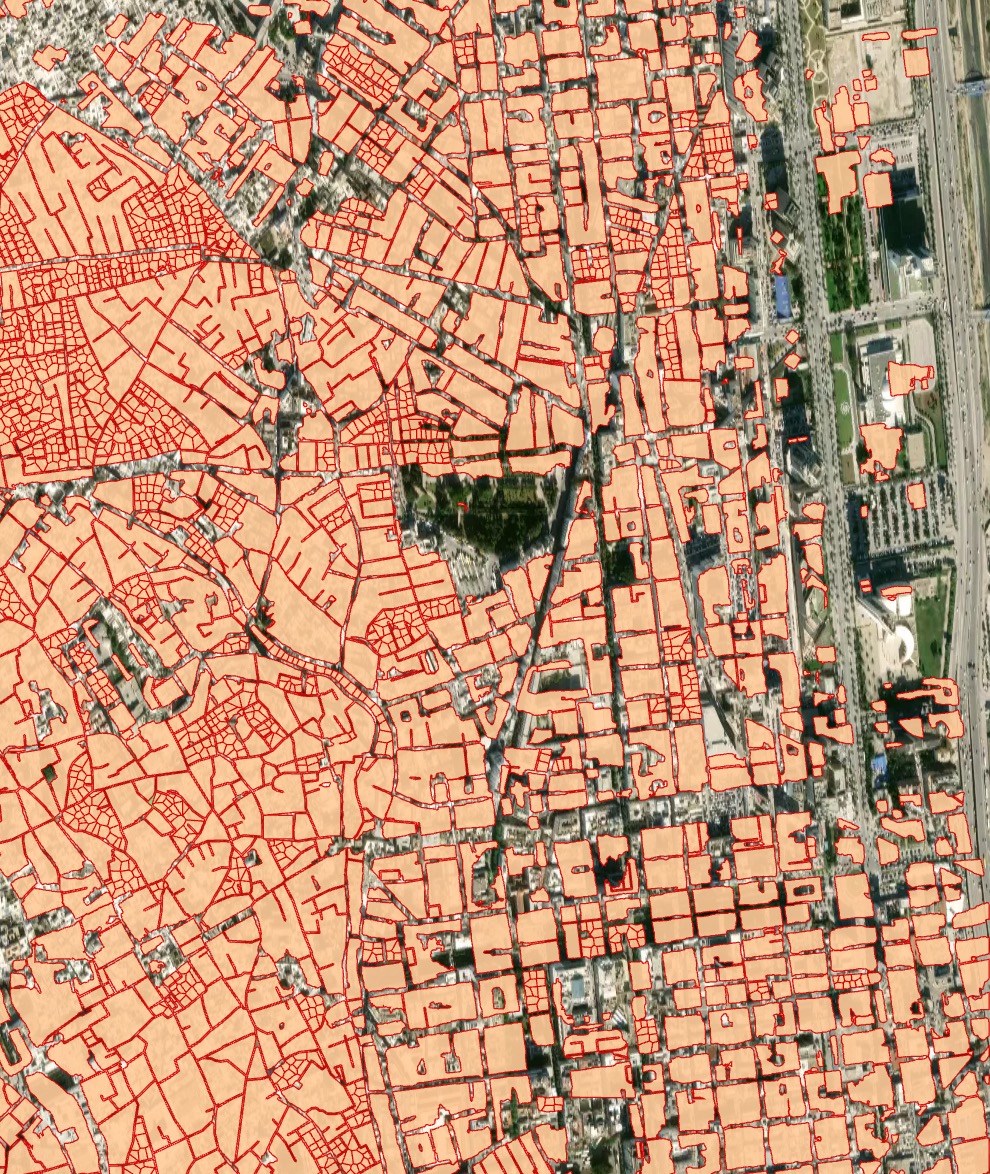
High-density buildings model, instance segmentation and post-processing with grid options
🚜 Agriculture fields (CUSTOM)
Предупреждение
This model has been deprecated as default one and moved to custom. it’s available by request.
Модель сегментации полей позволяет обнаруживать сельскохозяйственные поля и отделять близлежащие поля друг от друга, если есть визуальная граница (линия леса, дорога, разная стадия посева). Модель обучена на данных с высоким разрешением (1-1,2 м), в первую очередь для Европы, России. Она лучше работает на больших полях с активной растительностью. Поля меньшего размера и террасные поля (типичные для Азии) очерчены не так хорошо. Поля без растительности, особенно в зимний период, не относятся к целевому классу.
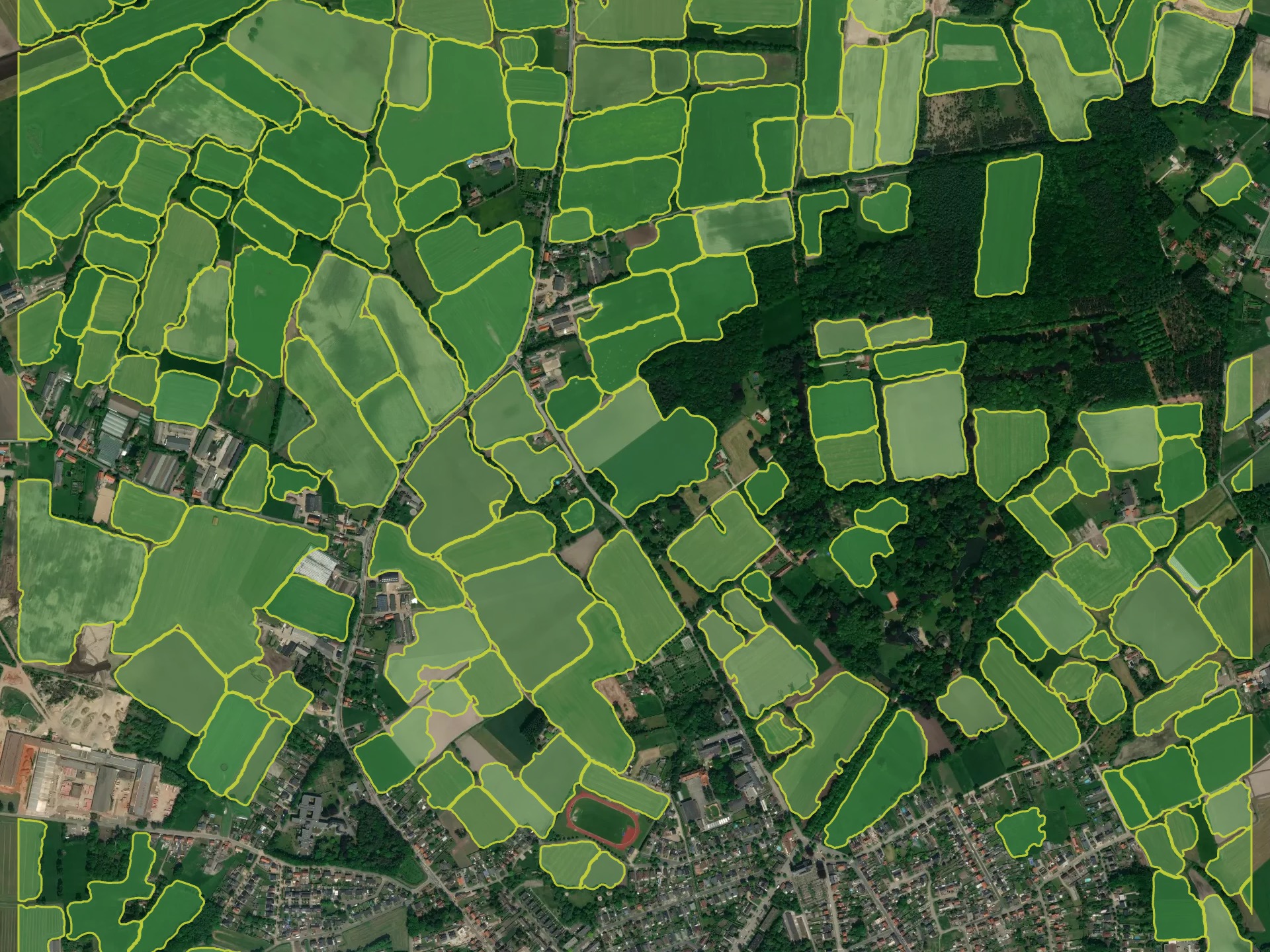
Образец результатов обработки для Европы (Бельгия)
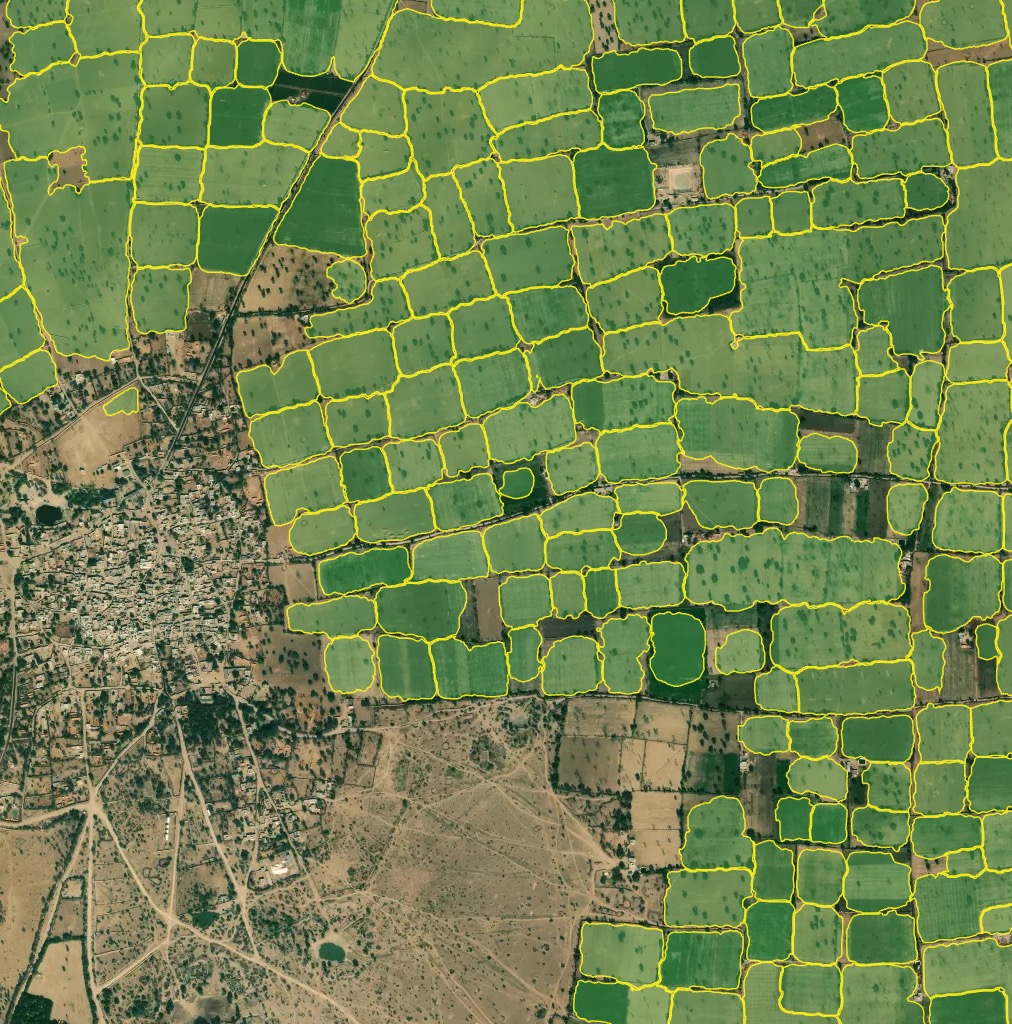
Выборка результатов обработки для Азии (Северная Индия)
✨ Segment Anything v1 (CUSTOM)
Примечание
This model has been deprecated as default one and moved to custom. it’s available only by request.
“Segment Anything” (первоначально введена Meta как универсальная модель сегментации) доступна в качестве еще одной экспериментальной модели в Mapflow. Мы адаптировали его к рабочим процессам Mapflow, которые будут использоваться в масштабе. Для запуска этой модели требуются те же шаги:
Выберите ваш источник данных
Выберите свою географическую область - либо полигон, файл GeoJSON, либо экстент вашего изображения
Тем не менее, есть одно отличие в рабочем процессе модели:
если вы запустите эту модель с помощью файла GTIFF — будет использовано исходное разрешение изображения
if you run it via TMS (e.g. Imagery like Mapbox Satellite) — you need to select the Zoom level (image resolution) from the model options which will be used for the input
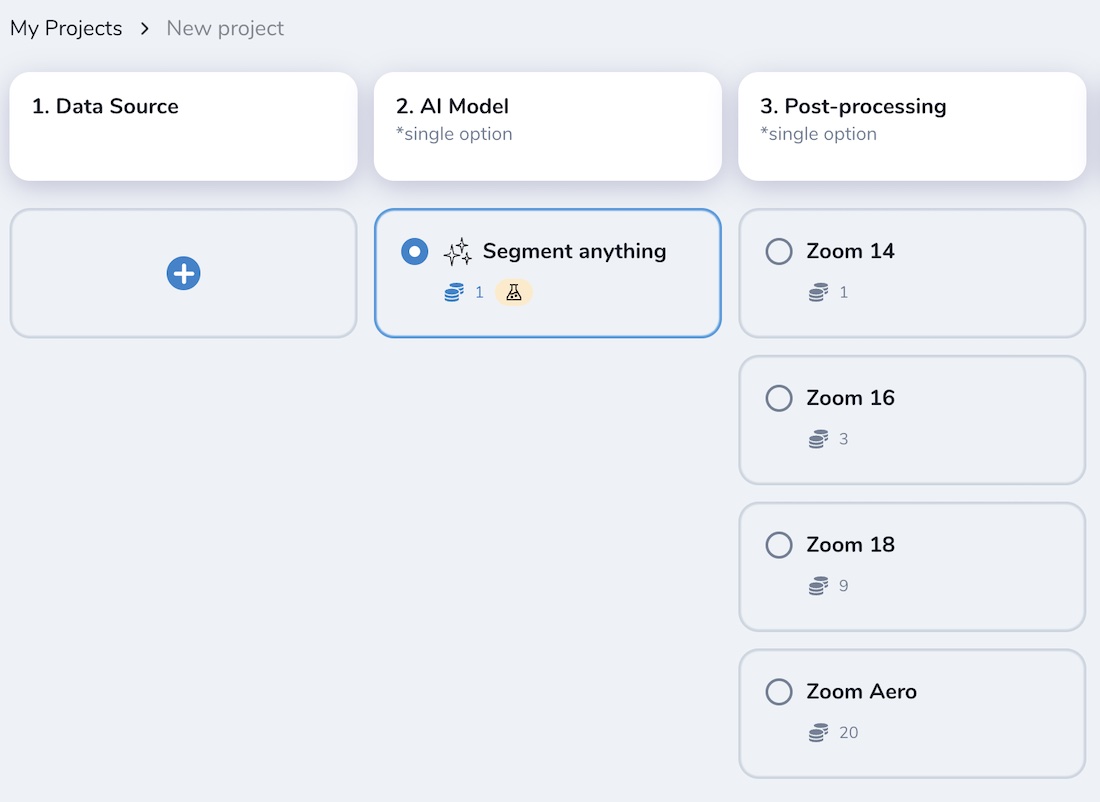
Depending on the input resolution, the SAM model will interpret and generate different results. It can be empirically classified by mapping classes depending on the zoom levels as follows:
УРОВНИ МАСШТАБИРОВАНИЯ |
СЕМАНТИЧЕСКИЕ ОБЪЕКТЫ |
|---|---|
14 |
Land use, large agri fields, forests, parks, fields, bodies of water |
16 |
Небольшие поля, большие здания, газоны, участки |
18 |
Фермы, здания, группы деревьев и т.д. |
19+ |
Дома, деревья, транспортные средства, конструкции крыш и т.д. |
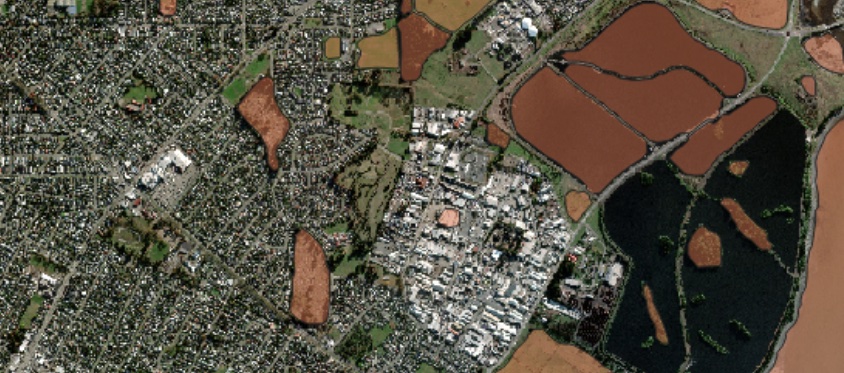
Например, результат – SAM (увеличение 14)
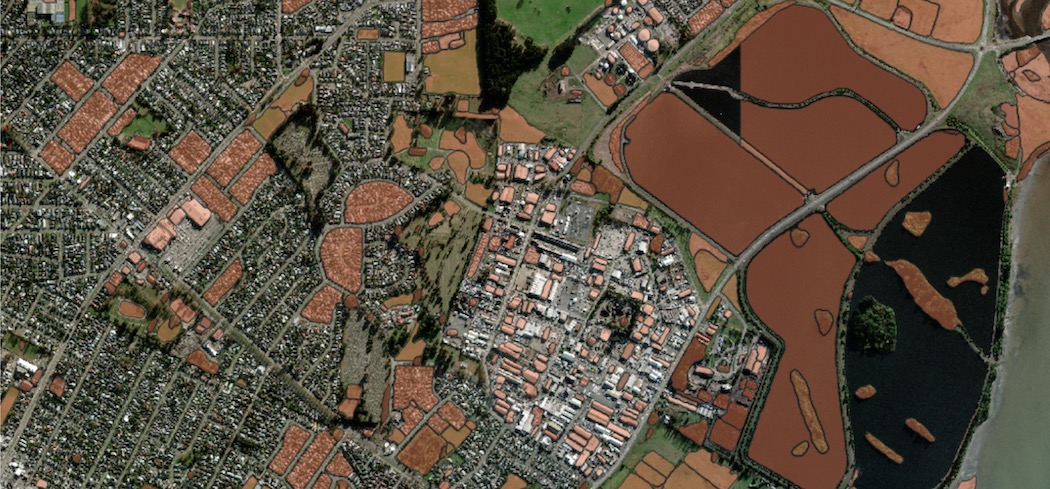
Например, результат – SAM (увеличение 16)
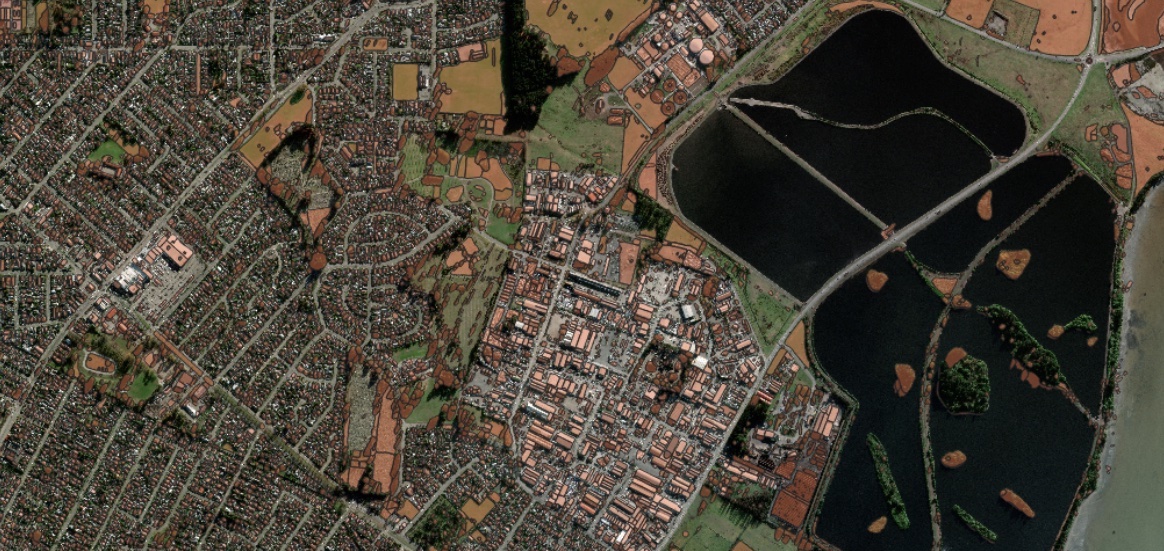
Например, результат – SAM (увеличение 18)
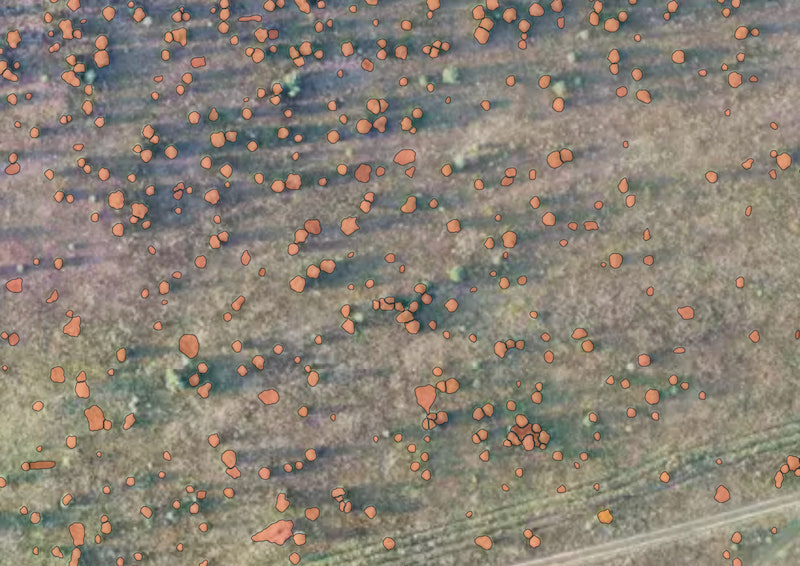
E.g. Result – SAM on aerial imagery (zoom 20), single trees. Some polygons are not very accurate and some target objects are missing, but the overall result is relevant and can be used for more accurate mapping.
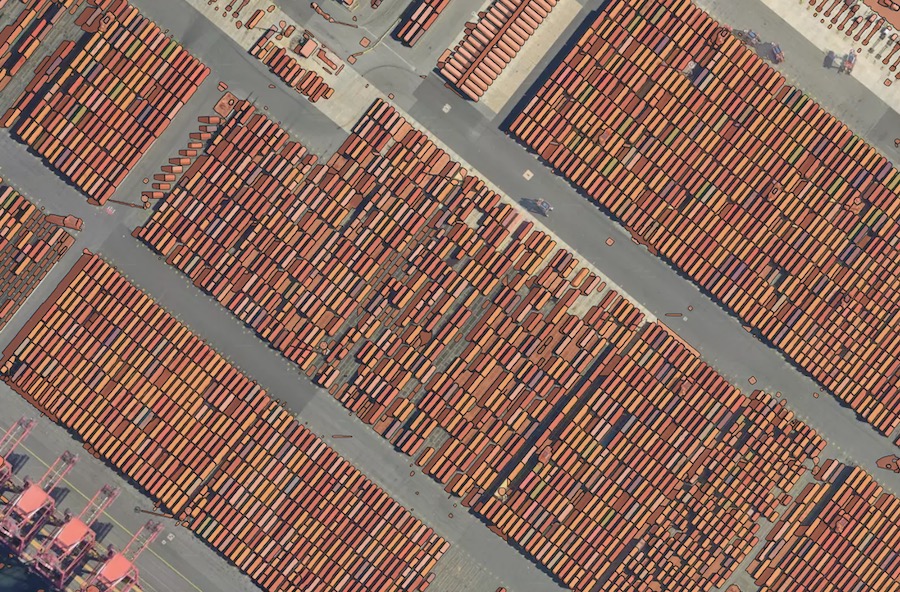
E.g. Result – SAM on aerial imagery (zoom 20), containers. Applicable to small similar-pattern objects, requires some manual filtering of the model’s output.
Примечание
❗️ SAM не предусмотрен в списке моделей по умолчанию Mapfow для QGIS, поскольку параметры масштабирования не включены в текущем дизайне плагина. Тем не менее, если вы работаете в QGIS и хотите попробовать SAM там — отправьте нам запрос, и мы подключим соответствующие сценарии рабочего процесса со всеми указанными параметрами масштабирования.
Swimming pools (CUSTOM)
Примечание
This model is available by request.
Swimming pools detection and classification. The model is trained on the high resolution aerial imagery (working zoom level 19). The testing benchmark score is F1 > 0.95.
Model name |
Model type |
Zoom level |
F1 (testing) |
Geo domain |
|---|---|---|---|---|
Swimming pools |
Detector + classification |
zoom 19-20 |
> 0.95 |
Global |
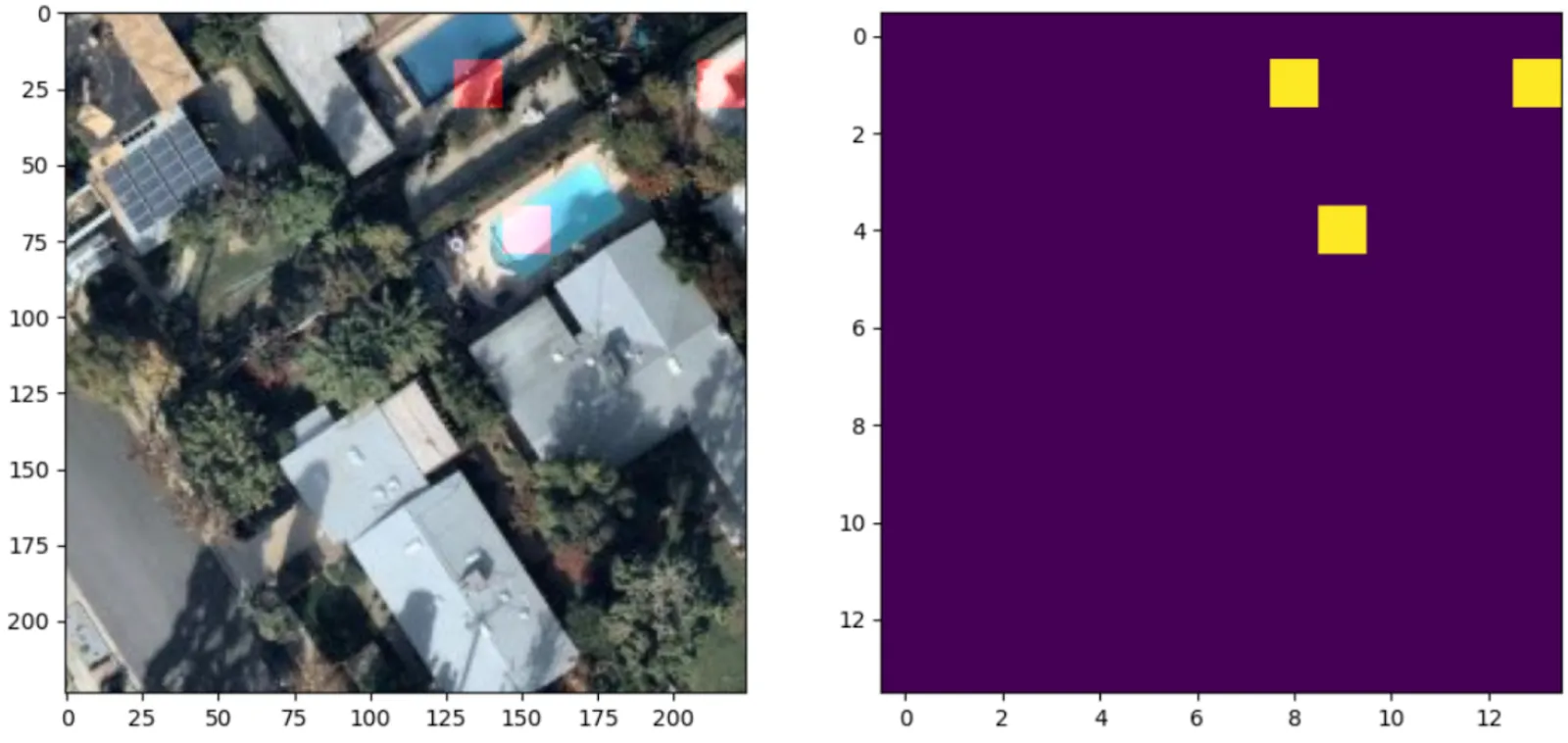
Read more about the use cases and the model application
☀️ Solar panels (CUSTOM)
Примечание
This model is available by request.
Solar panels is a model trained for detecton of Photovoltaic elements using aerial imagery (working zoom levels 19-21). It’s capable of detection PV elements both on the rooftops and on the ground. The testing benchmark score is F1 > 0.87.
Model name |
Model type |
Zoom level |
F1 (testing) |
Geo domain |
|---|---|---|---|---|
Solar panels |
Detector + segmentator |
zoom 19-21 |
pixelwise > 0.77 |
Global |