Mapflow API


Авторизация в Mapflow API
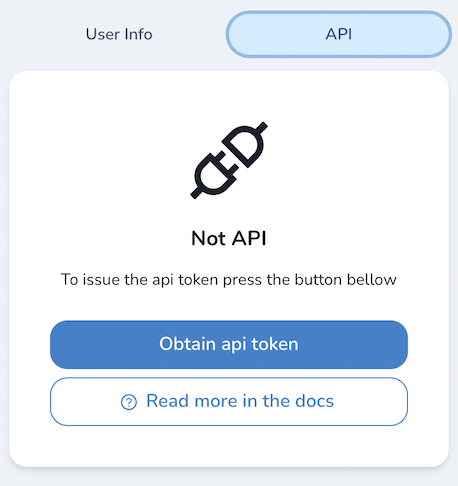
Для доступа из внешних приложений, таких как плагин для QGIS, вам необходимо получить API token. Пользователи могут зарегистрироваться и получить токен по адресу https://app.mapflow.ai/account/api. Токен должен быть передан в Basic Auth параметрах, как в примере:
curl --location --request GET 'https://api.mapflow.ai/rest/projects/default' \
--header 'Authorization: Basic <YOUR TOKEN>'
Примечание
Ваш токен генерируется по запросу и состоит из <Email: API Token>
Вы можете декодировать его с помощью декодера base64 для использования в форме Basic Auth
Убедитесь, что вы сохранили токен, в противном случае вам нужно будет его переиздать.
Получение API токена
Откройте веб-приложение Mapflow. Зарегистрируйте новый аккаунт или войдите, используя Google аккаунт.
Перейдите в настройки профиля пользователя чтобы сгенерировать новый API токен.
Mapflow Processing API
The Mapflow Processing API enables you to run AI-powered geospatial analysis on satellite and aerial imagery. Use it to detect buildings, roads, forests, and more at scale.
Внимание
Projects and processings created via the API are synchronized with Mapflow.ai. API calls consume your Mapflow credits.
Base URL
https://api.mapflow.ai/rest
Authentication
All API requests require an API token. Generate yours in profile settings.
curl -H "Authorization: Bearer YOUR_API_TOKEN" \
  https://api.mapflow.ai/rest/user/status
See authorization guide for details.
Quick Start
Run your first processing in 3 steps:
Create a project
curl -X POST https://api.mapflow.ai/rest/projects \
  -H "Authorization: Bearer YOUR_TOKEN" \
  -H "Content-Type: application/json" \
  -d '{
    "name": "My First Project",
    "description": "Buildings detection"
  }'
Response:
{"id": "project-uuid", ...}Create and run processing
curl -X POST https://api.mapflow.ai/rest/processings/v2 \
  -H "Authorization: Bearer YOUR_TOKEN" \
  -H "Content-Type: application/json" \
  -d '{
    "name": "Downtown Buildings",
    "projectId": "project-uuid",
    "wdName": "🏠 Buildings",
    "geometry": {
      "type": "Polygon",
      "coordinates": [[
        [37.6156, 55.7558],
        [37.6256, 55.7558],
        [37.6256, 55.7608],
        [37.6156, 55.7608],
        [37.6156, 55.7558]
      ]]
    },
    "params": {
      "sourceParams": {
        "dataProvider": {
          "providerName": "Mapbox",
          "zoom": 18
        }
      }
    }
  }'
Response:
{"id": "processing-uuid", "status": "IN_PROGRESS", ...}Check status and download results
# Check status
curl https://api.mapflow.ai/rest/processings/{processing-uuid}/v2 \
  -H "Authorization: Bearer YOUR_TOKEN"

# Download results (when status = "OK")
curl https://api.mapflow.ai/rest/processings/{processing-uuid}/result \
  -H "Authorization: Bearer YOUR_TOKEN" \
  -o results.geojson
Next steps: Explore available models, upload custom imagery, or review the complete API reference.
Mapflow Data API
The Mapflow Data API enables you to manage custom imagery, organize it into mosaics, and search satellite imagery from external providers. Use your imagery for AI-powered analysis with the Processing API.
Base URL
https://api.mapflow.ai/rest
Authentication
All API requests require an API token. Generate yours in profile settings.
curl -H "Authorization: Bearer YOUR_API_TOKEN" \
  https://api.mapflow.ai/rest/rasters/memory
See authorization guide for details.
Quick Start
Upload and process your imagery in 3 steps:
Create a mosaic
curl -X POST https://api.mapflow.ai/rest/rasters/mosaic \
  -H "Authorization: Bearer YOUR_TOKEN" \
  -H "Content-Type: application/json" \
  -d '{"name": "My Aerial Survey", "tags": ["survey-2024"]}'
Response:
{"id": "mosaic-uuid", ...}Upload images to mosaic
curl -X POST https://api.mapflow.ai/rest/rasters/mosaic/{mosaic-uuid}/image \
  -H "Authorization: Bearer YOUR_TOKEN" \
  -H "Content-Type: multipart/form-data" \
  -F "file=@/path/to/orthophoto.tif"
Response:
{"id": "image-uuid", ...}Run processing with uploaded imagery
curl -X POST https://api.mapflow.ai/rest/processings/v2 \
  -H "Authorization: Bearer YOUR_TOKEN" \
  -H "Content-Type: application/json" \
  -d '{
    "name": "Building Detection",
    "projectId": "project-uuid",
    "wdName": "🏠 Buildings",
    "geometry": {...},
    "params": {
      "sourceParams": {
        "myImagery": {"mosaicId": "mosaic-uuid"}
      }
    }
  }'
Next steps: Explore satellite imagery search, manage storage limits, or review the complete API reference.
For complete API reference documentation including all endpoints, parameters, and examples, see API Reference.
API Reference
Проекты
Создать проект
POST /projects
Creates a new project container for organizing processings.
Parameter |
Тип |
Required |
Описание |
|---|---|---|---|
|
string |
Yes |
Project name |
|
string |
No |
Project description |
Example Request
{
  "name": "Urban Analysis 2026",
  "description": "Building footprints for city planning"
}
Example Response
{
  "id": "546d148f-19a1-40d8-8f16-d1e6dabfd204",
  "name": "Urban Analysis 2026",
  "description": "Building footprints for city planning"
}
Update project
PUT /projects/{projectId}
Updates project name and/or description.
Parameter |
Тип |
Required |
Описание |
|---|---|---|---|
|
string |
Yes |
Project UUID (path parameter) |
|
string |
No |
New project name |
|
string |
No |
New project description |
Example Request
{
  "name": "Urban Analysis 2026 - Updated",
  "description": "Building and road detection"
}
Обработка
Примечание
v2 API is recommended. It uses structured sourceParams and inferenceParams. v1 uses a flat params map and is maintained for backward compatibility.
Create processing (v2)
POST /processings/v2
Creates and runs an imagery analysis processing.
Parameter |
Тип |
Required |
Описание |
|---|---|---|---|
|
string |
Yes |
Processing name |
|
string |
Yes |
Project UUID |
|
string |
Yes |
Workflow definition ID or name (e.g., «🏠 Buildings») |
|
GeoJSON |
Yes |
Area of interest (Polygon or MultiPolygon) |
|
object |
Yes |
Imagery source configuration (see Data Sources) |
|
object |
No |
Model-specific parameters |
|
array |
No |
Enable/disable workflow steps (see Workflow Blocks) |
|
string |
No |
Processing description |
|
object |
No |
Custom metadata |
Example Request: Using Mapbox
{
  "name": "Downtown Buildings",
  "projectId": "546d148f-19a1-40d8-8f16-d1e6dabfd204",
  "wdName": "🏠 Buildings",
  "geometry": {
    "type": "Polygon",
    "coordinates": [[[37.615, 55.755], [37.625, 55.755],
                     [37.625, 55.760], [37.615, 55.760],
                     [37.615, 55.755]]]
  },
  "params": {
    "sourceParams": {
      "dataProvider": {
        "providerName": "Mapbox",
        "zoom": 18
      }
    }
  }
}
Example Request: Using Custom Imagery
{
  "name": "Aerial Survey 2026",
  "projectId": "546d148f-19a1-40d8-8f16-d1e6dabfd204",
  "wdName": "🏠 Buildings",
  "geometry": {"type": "Polygon", "coordinates": [...]},
  "params": {
    "sourceParams": {
      "myImagery": {
        "imageIds": ["0c26a0d3-96d8-4ed5-aa62-3843d1d7905c"]
      }
    }
  }
}
Example Response
{
  "id": "3fa85f64-5717-4562-b3fc-2c963f66afa6",
  "name": "Downtown Buildings",
  "status": "IN_PROGRESS",
  "percentCompleted": 0,
  "cost": 150,
  "created": "2026-02-10T10:30:00Z"
}
Get processing (v2)
GET /processings/{processingId}/v2
Retrieves processing status and details.
Parameter |
Тип |
Required |
Описание |
|---|---|---|---|
|
string |
Yes |
Processing UUID (path parameter) |
Example Response
{
  "id": "3fa85f64-5717-4562-b3fc-2c963f66afa6",
  "name": "Downtown Buildings",
  "status": "OK",
  "percentCompleted": 100,
  "area": 1200000,
  "cost": 150,
  "vectorLayer": {
    "id": "layer-uuid",
    "tileUrl": "https://app.mapflow.ai/api/layers/{z}/{x}/{y}.pbf"
  },
  "created": "2026-02-10T10:30:00Z",
  "updated": "2026-02-10T10:45:00Z"
}
Status values: UNPROCESSED, IN_PROGRESS, AWAITING, OK, FAILED, CANCELLED
List processings (v2)
GET /processings/v2
Lists all user processings.
Example Response
[
  {
    "id": "uuid-1",
    "name": "Processing 1",
    "projectId": "project-uuid",
    "status": "OK",
    "percentCompleted": 100
  },
  {
    "id": "uuid-2",
    "name": "Processing 2",
    "status": "IN_PROGRESS",
    "percentCompleted": 45
  }
]
List processings by project (v2)
GET /projects/{projectId}/processings/v2
Lists processings for a specific project.
Calculate cost (v2)
POST /processing/cost/v2
Estimates processing cost before running.
Parameter |
Тип |
Required |
Описание |
|---|---|---|---|
|
string |
Yes |
Workflow definition ID |
|
GeoJSON |
No* |
Area of interest |
|
number |
No* |
Area in km² (alternative to geometry) |
|
object |
No |
Source and inference parameters |
|
array |
No |
Enabled workflow blocks |
Примечание
*Provide either geometry or areaSqKm (or both).
Example Request
{
  "wdId": "8cb13006-a299-4df6-b47d-91bd63de947f",
  "areaSqKm": 1.5,
  "params": {
    "sourceParams": {
      "dataProvider": {"providerName": "Mapbox"}
    }
  }
}
Example Response
150
Download results
GET /processings/{processingId}/result
Downloads processing results as GeoJSON.
Query Parameters:
aoiId(optional) — Filter results to specific AOI
Example
curl https://api.mapflow.ai/rest/processings/{id}/result \
  -H "Authorization: Bearer YOUR_TOKEN" \
  -o results.geojson
Processing management
Restart processing
POST /processings/{processingId}/restart
Restarts failed partitions only.
Update processing
PUT /processings/{processingId}
{
  "name": "New name",
  "description": "Updated description",
  "projectId": "new-project-uuid"
}
Delete processing
DELETE /processings/{processingId}
Deletes processing and all child entities.
User & Account
Get user status
GET /user/status
Returns account details, available models, and workflow definitions.
Example Response
{
  "user": {
    "id": "user-uuid",
    "email": "user@example.com",
    "credits": 5000
  },
  "models": [
    {
      "id": "model-uuid",
      "name": "🏠 Buildings",
      "pricePerSqKm": 15.0,
      "blocks": [...]
    }
  ]
}
Processing history
POST /processings/stats
Returns processing history with pagination and filtering.
Query Parameters:
type(optional) — Response format:JSONorCSV
Request Body:
Parameter |
Тип |
Описание |
|---|---|---|
|
integer |
Page number |
|
integer |
Items per page |
|
string |
Sort expression (e.g., |
|
string |
Filter expression (e.g., |
Example Request
{
  "page": 1,
  "perPage": 50,
  "sort": "created:desc",
  "filter": "status=OK"
}
Data Sources
The sourceParams object specifies where to get imagery. Choose one option:
Default Data Provider
Use built-in providers like Mapbox, ArcGIS.
{
  "sourceParams": {
    "dataProvider": {
      "providerName": "Mapbox",
      "zoom": 18
    }
  }
}
Field |
Описание |
|---|---|
|
Provider name: |
|
Zoom level (typically 17-19 for 0.5m resolution) |
My Imagery
Use imagery uploaded via Mapflow Data API.
Single image:
{
  "sourceParams": {
    "myImagery": {
      "imageIds": ["image-uuid"]
    }
  }
}
Mosaic (multiple images):
{
  "sourceParams": {
    "myImagery": {
      "imageIds": ["img1-uuid", "img2-uuid"],
      "mosaicId": "mosaic-uuid"
    }
  }
}
Imagery Search
Search and use imagery from commercial providers.
{
  "sourceParams": {
    "imagerySearch": {
      "dataProvider": "maxar",
      "imageIds": ["image-uuid"],
      "zoom": 18
    }
  }
}
Custom URL
Use your own XYZ/TMS/WMS tile service.
{
  "sourceParams": {
    "userDefined": {
      "sourceType": "XYZ",
      "url": "https://tiles.example.com/{z}/{x}/{y}.png",
      "zoom": 18,
      "crs": "EPSG:3857",
      "rasterLogin": "username",
      "rasterPassword": "password"
    }
  }
}
Field |
Тип |
Описание |
|---|---|---|
|
string |
|
|
string |
Tile URL template |
|
integer |
Уровень zoom |
|
string |
Coordinate reference system (e.g., |
|
string |
Optional authentication username |
|
string |
Optional authentication password |
Uploading Custom Imagery
Use Mapflow Data API to create a mosaic and upload images
Reference uploaded images in
sourceParams.myImagery.imageIds
{
  "params": {
    "sourceParams": {
      "myImagery": {
        "imageIds": ["uploaded-image-uuid"]
      }
    }
  }
}
Data API
Mosaics
A mosaic is a collection of georeferenced images organized for processing and preview. Mosaics help when working with multiple aerial images covering an area or batching large orthomaps for optimized cloud storage.
Create Mosaic
POST /rasters/mosaic
Creates an empty mosaic collection.
Request Body
Parameter |
Тип |
Required |
Описание |
|---|---|---|---|
|
string |
Yes |
Mosaic name |
|
array |
No |
Tags for organizing mosaics |
Example Request
curl -X POST https://api.mapflow.ai/rest/rasters/mosaic \
  -H "Authorization: Bearer YOUR_TOKEN" \
  -H "Content-Type: application/json" \
  -d '{
    "name": "Aerial Survey 2024",
    "tags": ["agriculture", "spring"]
  }'
Response
{
  "id": "6ee95ae6-f26e-41bd-8cb1-39bea545119f",
  "name": "Aerial Survey 2024",
  "tags": ["agriculture", "spring"],
  "created_at": "2024-03-15T10:30:00Z"
}
Get Mosaic
GET /rasters/mosaic/{mosaic_id}
Retrieves mosaic metadata by ID.
Response
{
  "id": "6ee95ae6-f26e-41bd-8cb1-39bea545119f",
  "name": "Aerial Survey 2024",
  "tags": ["agriculture", "spring"],
  "created_at": "2024-03-15T10:30:00Z",
  "image_count": 15
}
Update Mosaic
PUT /rasters/mosaic/{mosaic_id}
Updates mosaic name and tags.
Request Body
Parameter |
Тип |
Required |
Описание |
|---|---|---|---|
|
string |
No |
New mosaic name |
|
array |
No |
New tag list (replaces existing) |
Example Request
curl -X PUT https://api.mapflow.ai/rest/rasters/mosaic/{mosaic_id} \
  -H "Authorization: Bearer YOUR_TOKEN" \
  -H "Content-Type: application/json" \
  -d '{
    "name": "Updated Survey Name",
    "tags": ["agriculture", "summer"]
  }'
Upload Images to Mosaic
POST /rasters/mosaic/{mosaic_id}/image
Uploads georeferenced image files to an existing mosaic.
Внимание
All images in a mosaic must have:
Same coordinate reference system (CRS)
Same number of bands
Same spatial resolution
Request
Content-Type:
multipart/form-dataBody:
filefield with image file
Example Request
curl -X POST https://api.mapflow.ai/rest/rasters/mosaic/{mosaic_id}/image \
  -H "Authorization: Bearer YOUR_TOKEN" \
  -H "Content-Type: multipart/form-data" \
  -F "file=@/path/to/orthophoto.tif"
Response
{
  "id": "6ae7f9e9-da2d-41e0-b16f-83396003af57",
  "mosaic_id": "6ee95ae6-f26e-41bd-8cb1-39bea545119f",
  "filename": "orthophoto.tif",
  "file_size": 68417439,
  "uploaded_at": "2024-03-15T10:35:00Z"
}
Create Mosaic and Upload Image
POST /rasters/mosaic/image?name={name}&tags={tag1}&tags={tag2}
Creates a mosaic and uploads an image in a single request.
Example Request
curl -X POST 'https://api.mapflow.ai/rest/rasters/mosaic/image?name=QuickSurvey&tags=test' \
  -H "Authorization: Bearer YOUR_TOKEN" \
  -H "Content-Type: multipart/form-data" \
  -F "file=@/path/to/image.tif"
Link External Image to Mosaic
POST /rasters/mosaic/{mosaic_id}/link-image
Links an existing S3 image URL to a mosaic without uploading.
Request Body
Parameter |
Тип |
Required |
Описание |
|---|---|---|---|
|
string |
Yes |
S3 URL of the image file |
Example Request
curl -X POST https://api.mapflow.ai/rest/rasters/mosaic/{mosaic_id}/link-image \
  -H "Authorization: Bearer YOUR_TOKEN" \
  -H "Content-Type: application/json" \
  -d '{
    "url": "s3://bucket/path/image.tif"
  }'
Response
{
  "message": "File successfully linked to a mosaic",
  "mosaic_id": "6ee95ae6-f26e-41bd-8cb1-39bea545119f"
}
Get Images in Mosaic
GET /rasters/mosaic/{mosaic_id}/image
Lists all images in a mosaic with metadata.
Response
[
  {
    "id": "6ae7f9e9-da2d-41e0-b16f-83396003af57",
    "filename": "area-1101712.tif",
    "file_size": 68417439,
    "uploaded_at": "2024-03-15T10:35:00Z",
    "footprint": "POLYGON((1.9915 48.7643, ...))",
    "preview_url_s": "https://api.mapflow.ai/rest/rasters/image/{id}/preview/s",
    "preview_url_l": "https://api.mapflow.ai/rest/rasters/image/{id}/preview/l",
    "meta_data": {
      "crs": "EPSG:32631",
      "width": 5589,
      "height": 4079,
      "count": 3,
      "pixel_size": [0.3, 0.3]
    }
  }
]
Delete Mosaic
DELETE /rasters/mosaic/{mosaic_id}
Deletes a mosaic and all its linked images.
Предупреждение
This action is irreversible. All images linked to the mosaic will be permanently deleted.
Example Request
curl -X DELETE https://api.mapflow.ai/rest/rasters/mosaic/{mosaic_id} \
  -H "Authorization: Bearer YOUR_TOKEN"
Images
Manage individual image files and metadata.
Get Image Metadata
GET /rasters/image/{image_id}
Retrieves detailed metadata for a specific image.
Response
{
  "id": "6ae7f9e9-da2d-41e0-b16f-83396003af57",
  "filename": "orthophoto.tif",
  "file_size": 68417439,
  "uploaded_at": "2024-03-15T10:35:00Z",
  "footprint": "POLYGON((...))",
  "meta_data": {
    "crs": "EPSG:32631",
    "width": 5589,
    "height": 4079,
    "count": 3,
    "dtypes": ["uint8", "uint8", "uint8"],
    "pixel_size": [0.3, 0.3]
  },
  "cog_link": "s3://bucket/path/cog/image.tif"
}
Update Image Name
PUT /rasters/image/{image_id}?name={new_name}
Updates the display name of an image.
Example Request
curl -X PUT 'https://api.mapflow.ai/rest/rasters/image/{image_id}?name=Updated%20Name' \
  -H "Authorization: Bearer YOUR_TOKEN"
Delete Image
DELETE /rasters/image/{image_id}
Deletes an image from storage.
Example Request
curl -X DELETE https://api.mapflow.ai/rest/rasters/image/{image_id} \
  -H "Authorization: Bearer YOUR_TOKEN"
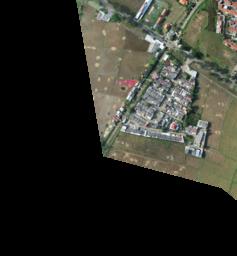
Get Image Preview
GET /rasters/image/{image_id}/preview/{size}
Retrieves a preview thumbnail of the image.
Path Parameters
Size |
Описание |
|---|---|
|
Small preview (256×256 pixels) |
|
Large preview (1024×1024 pixels) |
Example Request
curl https://api.mapflow.ai/rest/rasters/image/{image_id}/preview/s \
  -H "Authorization: Bearer YOUR_TOKEN" \
  -o preview.jpg
Response
Returns JPEG image data.
Storage
Get Storage Usage
GET /rasters/memory
Returns current storage usage and limits for your account.
Example Request
curl https://api.mapflow.ai/rest/rasters/memory \
  -H "Authorization: Bearer YOUR_TOKEN"
Response
{
  "used_bytes": 5368709120,
  "limit_bytes": 10737418240,
  "used_gb": 5.0,
  "limit_gb": 10.0,
  "usage_percent": 50.0
}
Imagery Catalog
Примечание
The Imagery Search API connects you to external satellite imagery providers. Search results depend on providers linked to your account. Contact support to add provider access.
Search Available Imagery
POST /catalog/meta
Searches satellite imagery from external providers by area and metadata filters.
Request Body
Parameter |
Тип |
Required |
Описание |
|---|---|---|---|
|
object |
Yes |
GeoJSON Polygon or MultiPolygon |
|
string |
No |
UTC datetime (ISO 8601) |
|
string |
No |
UTC datetime (ISO 8601) |
|
float |
No |
Minimum resolution (meters/pixel) |
|
float |
No |
Maximum resolution (meters/pixel) |
|
float |
No |
Maximum cloud cover (0.0-100) |
|
float |
No |
Minimum off-nadir angle (degrees) |
|
float |
No |
Maximum off-nadir angle (degrees) |
|
float |
No |
Minimum AOI overlap (0.0-100) |
|
integer |
No |
Max results (default: 100) |
|
integer |
No |
Pagination offset |
|
string |
No |
Sort field (e.g., |
|
string |
No |
|
|
boolean |
No |
Exclude unavailable products |
|
array |
No |
Filter by provider «name» |
|
array |
No |
Filter by product types |
Предупреждение
Search area size is limited by your account’s AOI limit.
Example Request
curl -X POST https://api.mapflow.ai/rest/catalog/meta \
  -H "Authorization: Bearer YOUR_TOKEN" \
  -H "Content-Type: application/json" \
  -d '{
    "aoi": {
      "type": "Polygon",
      "coordinates": [[[76.6755,43.2234],[76.6755,43.4712],
                       [77.0163,43.4712],[77.0163,43.2234],
                       [76.6755,43.2234]]]
    },
    "acquisitionDateFrom": "2024-01-01T00:00:00Z",
    "acquisitionDateTo": "2024-03-01T00:00:00Z",
    "maxCloudCover": 10.0,
    "maxResolution": 0.5,
    "limit": 10,
    "sortBy": "ACQUISITION_DATE",
    "sortOrder": "DESC"
  }'
Response – Scene Product
[
  {
    "id": "JL1GF03A_PMS_20220607132729_200087596_103_0002_001_L1",
    "productType": "Scene",
    "acquisitionDate": "2022-06-07T13:27:33Z",
    "sensor": "JL1GF03A",
    "pixelResolution": 1.06,
    "cloudCover": 0.09,
    "offNadirAngle": -3.91,
    "colorBandOrder": "B,G,R,NIR,PAN",
    "providerName": "CG",
    "previewType": "png",
    "previewUrl": "https://example.com/preview.jpg",
    "footprint": {
      "type": "Polygon",
     "coordinates": [[[76.5009, 43.3412]]]
    }
  }
]
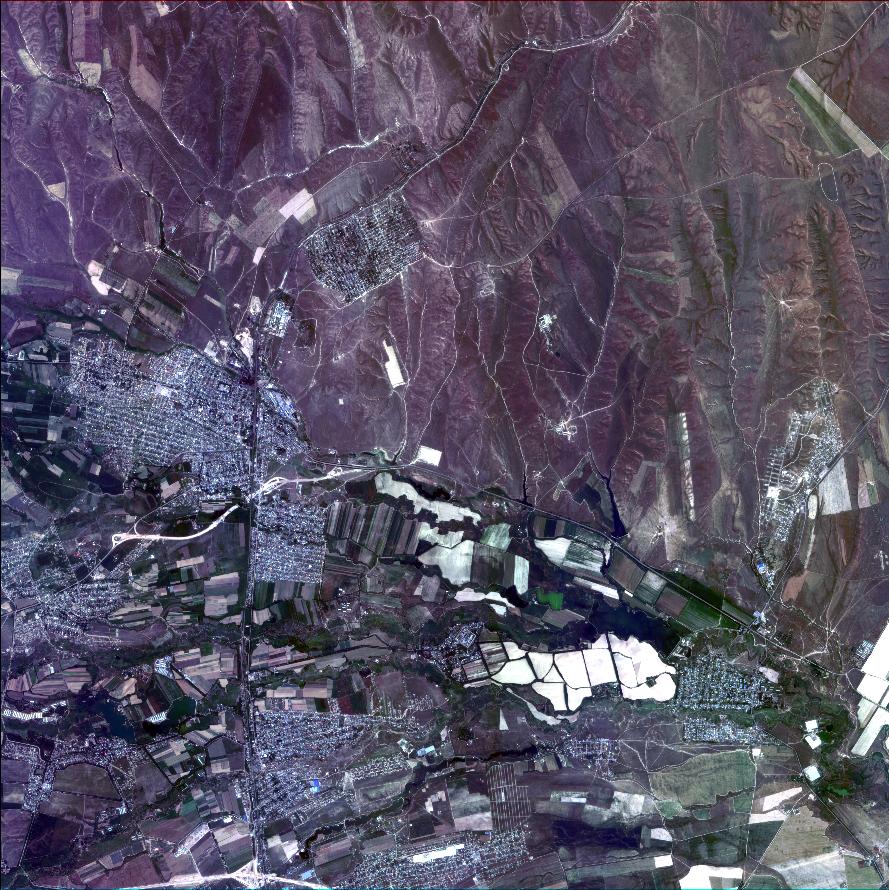
Response – Mosaic Product
[
  {
    "id": "JL1KF01A_PMS04_20220717131252_200093089_101_0005_001_L1",
    "productType": "Mosaic",
    "acquisitionDate": "2022-07-17T00:00:00Z",
    "sensor": "JL1KF01A",
    "pixelResolution": 0.0,
    "cloudCover": 0.0,
    "offNadirAngle": 3.0,
    "colorBandOrder": "RGB",
    "providerName": "CG_mosaic_2022",
    "previewType": "xyz",
    "previewUrl": "https://app.mapflow.ai/tiles/provider/{z}/{x}/{-y}.png",
    "footprint": {
      "type": "MultiPolygon",
     "coordinates": [[[[76.9037, 43.2529]]]]
    }
  }
]
Use Search Results in Processing
To run processing with imagery from search results, use the imagerySearch source parameter:
{
  "params": {
    "sourceParams": {
      "imagerySearch": {
        "dataProvider": "CG_mosaic_2022",
        "imageIds": ["JL1KF01A_PMS04_20220717131252_200093089_101_0005_001_L1"]
      }
    }
  }
}
See Processing API for complete processing workflow.
Product Types
Тип |
Описание |
|---|---|
Scene |
Single satellite capture. Available for ordering by request. Contact support to order specific scenes. |
Mosaic |
Pre-processed imagery mosaic. Available for instant processing if provider is linked to your account. |
Preview Sizes
Size Code |
Dimensions |
|---|---|
|
256×256 pixels |
|
1024×1024 pixels |
Workflow Blocks
Customize processing by enabling/disabling optional workflow steps.
{
  "blocks": [
    {"name": "Simplification", "enabled": false},
    {"name": "Classification", "enabled": true}
  ]
}
Available blocks vary by model. Retrieve options via GET /user/status.
AI Models
Model |
Описание |
Resolution |
Zoom |
Optional Blocks |
|---|---|---|---|---|
🏠 Здания |
Building footprints with classification |
0.5 m/px |
17-18 |
Simplification, Classification, OSM |
🏠 Buildings (Aerial) |
High-resolution aerial imagery (10 cm/px) |
0.1 m/px |
19-20 |
Simplification |
🌲 Лес |
Tree cover detection |
0.5 m/px |
17-18 |
Высоты |
🚗 Дороги |
Road network extraction |
0.5 m/px |
17-18 |
— |
🏗️ Строительство |
Construction site detection |
0.5 m/px |
17-18 |
— |
See model descriptions for detailed requirements.
Status Codes
Status |
Описание |
|---|---|
|
Processing created but not started |
|
Processing is running |
|
Awaiting imagery from provider |
|
Processing completed successfully |
|
Processing failed (check |
|
Processing was cancelled by user |
|
Credits refunded by administrator |
Review Status
Review Status |
Описание |
|---|---|
|
Results accepted |
|
Results rejected |
|
Credits refunded |
|
Under review by team |
Error Messages
For detailed error codes and troubleshooting, see Error Messages.
Common errors:
source-validator.PixelSizeTooHigh— Imagery resolution too low (max 1.2 m/px)source-validator.NoDataInAOI— No imagery available for AOIgeometry.Invalid— Invalid GeoJSON geometry
Best Practices
Check cost before running — Use
/processing/cost/v2to estimate creditsPoll status efficiently — Check status every 30-60 seconds for
IN_PROGRESSprocessingsHandle errors gracefully — Check
messagesfield in failed processingsUse appropriate zoom levels — Match zoom to model requirements (typically 17-18)
Validate geometry — Ensure GeoJSON is valid and not too large (< 100 km²)
Organize with projects — Group related processings in projects
Store processing IDs — Save IDs for later result retrieval
Support
Rate Limits
No strict rate limits currently
Concurrent processings limited by account tier
Contact support for high-volume use cases
Get Help
Email: help@geoalert.io
Documentation: https://docs.mapflow.ai
Web app: https://app.mapflow.ai